Adobe Firefly AI generator videozapisa
Koristite Adobe Firefly izravno u VideoGenu za generiranje slika proizvoda i videoisječaka. Povežite svoje scene montažom, naracijom, glazbom i titlovima.
Explore product image ideas
VideoGen reference images for product scenes, backgrounds, and campaign ideas.

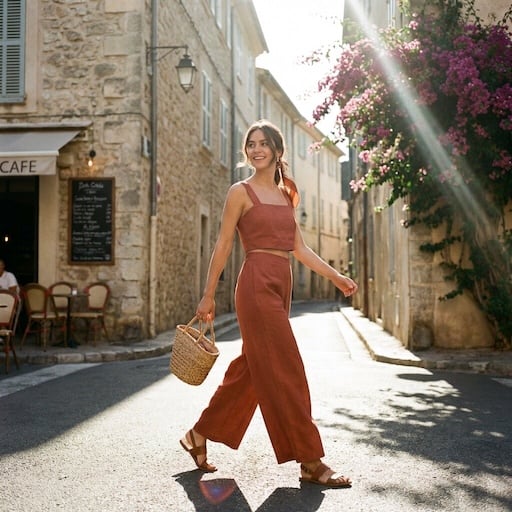

What can Adobe Firefly create?
Use Adobe Firefly in VideoGen for image generation, image editing, and video generation. Build the visuals you need for your product storyboard.
Product images and settings
Generate a scene from a prompt or composite a product photo into a new setting. Explore backgrounds and lighting for a campaign.
Text-to-video and image-to-video
Create a short clip from a description or bring a still image into motion. Use a product reveal or a lifestyle scene as one part of your video.
Image edits and variations
Refine a visual with instructions and compare different directions before choosing the assets for your storyboard.
From Firefly assets to a finished video
Generate with Adobe Firefly and build your finished video in the same VideoGen project.
Build the story around your product
Arrange your generated images and clips alongside other scenes. Adjust the sequence and timing to explain the product and show it in context.
Add voiceover, music, and captions
Turn individual visuals into a complete marketing video with narration, background music, and captions.
Prepare videos for your channels
Edit and export your project for social campaigns, product launches, and ecommerce marketing.
How to use Adobe Firefly in VideoGen
1.Start a VideoGen project
Begin with a video idea, script, or storyboard. Describe the product and the scenes you want to create.
2.Generate your visuals with Firefly
Create images or video clips with Adobe Firefly in VideoGen, then add the results to your storyboard.
3.Edit and export your video
Arrange your scenes, add narration, music, and captions, then review and export the finished video.
Često postavljana pitanja
Izradite videozapisStvarajte uz Adobe Firefly u VideoGenu
Generirajte vizualne sadržaje pomoću Fireflyja i dovršite videozapis montažom, glasovnom naracijom, glazbom i titlovima.
Povezano: AI modeli videa
- Najbolji AI video modeliNajbolji AI modeli za videozapise u 2026., rangirani i ocijenjeni
- Seedance 2.0Visokokvalitetna AI generacija videa s referentnim medijima
- Seedance 2.5Video od 30 sekundi u jednom prolazu s izvornim zvukom i do 50 referentnih unosa
- Hailuo 3.02K AI video uz izvorni stereo zvuk i isječke od 15 sekundi
- Gemini Omni FlashVodeća AI video generacija u Areni s konverzacijskim uređivanjem
- FLUX 3Multimodalni granični video s izvornim zvukom, ključnim kadrovima i dijalogom sinkroniziranim s kretnjama usana
- Veo 3.1Video sljedeće generacije AI s poboljšanom realnošću i zvukom.
- Happy Horse 1.1Slika-u-video s izvorni zvukom i sinkronizacijom usana
- MinimaxGeneracija AI videozapisa s realističnim pokretima i filmskim vizualima