Generator wideo AI Adobe Firefly
Korzystaj z Adobe Firefly bezpośrednio w VideoGen, aby generować zdjęcia produktów i klipy wideo. Połącz swoje sceny, dodając montaż, narrację lektorską, muzykę i napisy.
Explore product image ideas
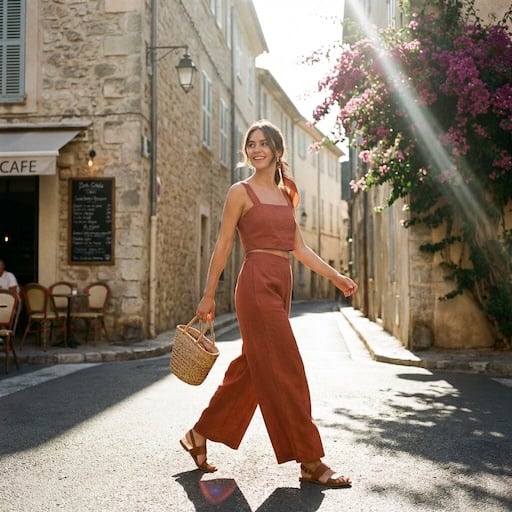
VideoGen reference images for product scenes, backgrounds, and campaign ideas.


What can Adobe Firefly create?
Use Adobe Firefly in VideoGen for image generation, image editing, and video generation. Build the visuals you need for your product storyboard.
Product images and settings
Generate a scene from a prompt or composite a product photo into a new setting. Explore backgrounds and lighting for a campaign.
Text-to-video and image-to-video
Create a short clip from a description or bring a still image into motion. Use a product reveal or a lifestyle scene as one part of your video.
Image edits and variations
Refine a visual with instructions and compare different directions before choosing the assets for your storyboard.
From Firefly assets to a finished video
Generate with Adobe Firefly and build your finished video in the same VideoGen project.
Build the story around your product
Arrange your generated images and clips alongside other scenes. Adjust the sequence and timing to explain the product and show it in context.
Add voiceover, music, and captions
Turn individual visuals into a complete marketing video with narration, background music, and captions.
Prepare videos for your channels
Edit and export your project for social campaigns, product launches, and ecommerce marketing.
How to use Adobe Firefly in VideoGen
1.Start a VideoGen project
Begin with a video idea, script, or storyboard. Describe the product and the scenes you want to create.
2.Generate your visuals with Firefly
Create images or video clips with Adobe Firefly in VideoGen, then add the results to your storyboard.
3.Edit and export your video
Arrange your scenes, add narration, music, and captions, then review and export the finished video.
Najczęściej zadawane pytania
Utwórz filmTwórz za pomocą Adobe Firefly w VideoGen
Stwórz materiały wizualne za pomocą Firefly, a następnie dopracuj film, dodając montaż, narrację, muzykę i napisy.
Powiązane Modele wideo AI
- Najlepsze modele wideo AINajlepsze modele wideo AI w 2026 roku, zestawienie i testy porównawcze
- Seedance 2.0Generowanie wideo AI wysokiej jakości z użyciem mediów referencyjnych
- Seedance 2.530-sekundowy film w jednym przebiegu z natywnym dźwiękiem i maksymalnie 50 wejściami referencyjnymi
- Hailuo 3.0Wideo AI 2K z natywnym dźwiękiem stereo i 15-sekundowymi klipami
- Gemini Omni FlashWiodące w rankingu generowanie wideo przez AI z edycją konwersacyjną
- FLUX 3Multimodalne wideo wiodącej technologii z natywnym dźwiękiem, klatkami kluczowymi i dialogami zsynchronizowanymi z ruchem warg
- Veo 3.1Wideo AI nowej generacji z ulepszonym realizmem i dźwiękiem.
- Happy Horse 1.1Obraz do wideo z natywnym dźwiękiem i synchronizacją ust
- MinimaxGeneracja wideo AI z realistycznym ruchem i kinowymi wizualizacjami