Δημιουργία βίντεο με AI Adobe Firefly
Χρησιμοποιήστε το Adobe Firefly απευθείας στο VideoGen για να δημιουργήσετε εικόνες προϊόντων και βίντεο κλιπ. Συνδυάστε τις σκηνές σας με μοντάζ, αφήγηση, μουσική και υπότιτλους.
Explore product image ideas
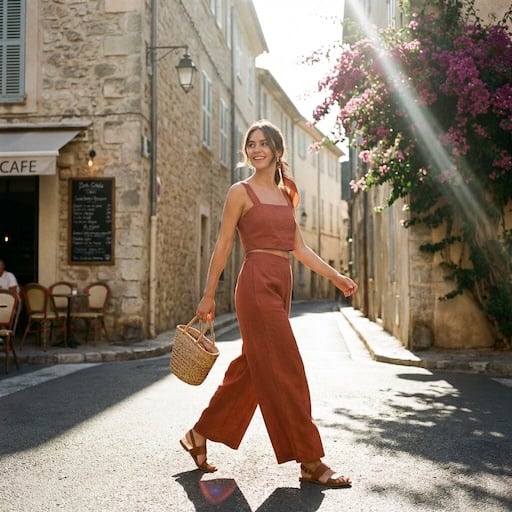
VideoGen reference images for product scenes, backgrounds, and campaign ideas.


What can Adobe Firefly create?
Use Adobe Firefly in VideoGen for image generation, image editing, and video generation. Build the visuals you need for your product storyboard.
Product images and settings
Generate a scene from a prompt or composite a product photo into a new setting. Explore backgrounds and lighting for a campaign.
Text-to-video and image-to-video
Create a short clip from a description or bring a still image into motion. Use a product reveal or a lifestyle scene as one part of your video.
Image edits and variations
Refine a visual with instructions and compare different directions before choosing the assets for your storyboard.
From Firefly assets to a finished video
Generate with Adobe Firefly and build your finished video in the same VideoGen project.
Build the story around your product
Arrange your generated images and clips alongside other scenes. Adjust the sequence and timing to explain the product and show it in context.
Add voiceover, music, and captions
Turn individual visuals into a complete marketing video with narration, background music, and captions.
Prepare videos for your channels
Edit and export your project for social campaigns, product launches, and ecommerce marketing.
How to use Adobe Firefly in VideoGen
1.Start a VideoGen project
Begin with a video idea, script, or storyboard. Describe the product and the scenes you want to create.
2.Generate your visuals with Firefly
Create images or video clips with Adobe Firefly in VideoGen, then add the results to your storyboard.
3.Edit and export your video
Arrange your scenes, add narration, music, and captions, then review and export the finished video.
Συχνές ερωτήσεις
Δημιουργία βίντεοΔημιουργήστε με το Adobe Firefly στο VideoGen
Δημιουργήστε τα οπτικά σας στοιχεία με το Firefly και ολοκληρώστε το βίντεό σας με μοντάζ, αφήγηση, μουσική και υπότιτλους.
Σχετικά Μοντέλα βίντεο AI
- Τα καλύτερα μοντέλα βίντεο τεχνητής νοημοσύνηςΤα καλύτερα μοντέλα βίντεο τεχνητής νοημοσύνης το 2026, καταταγμένα και αξιολογημένα
- Seedance 2.0Δημιουργία βίντεο υψηλής ποιότητας AI με αναφορά πολυμέσων
- Seedance 2.5Βίντεο 30 δευτερολέπτων ενός περάσματος με φυσικό ήχο και έως 50 αναφορές εισόδου
- Hailuo 3.0Βίντεο AI 2K με εγγενή στερεοφωνικό ήχο και κλιπ 15 δευτερολέπτων
- Gemini Omni FlashΚορυφαία δημιουργία βίντεο με τεχνητή νοημοσύνη και επεξεργασία μέσω συνομιλίας (βάσει Arena)
- FLUX 3Πολυτροπικό βίντεο αιχμής με εγγενή ήχο, καρέ-κλειδιά και διάλογο με συγχρονισμό χειλιών
- Veo 3.1AI βίντεο επόμενης γενιάς με βελτιωμένο ρεαλισμό και ήχο.
- Happy Horse 1.1Εικόνα σε βίντεο με εγγενή ήχο και συγχρονισμό χειλιών
- MinimaxΓεννήτρια βίντεο AI με ρεαλιστική κίνηση και κινηματογραφικά οπτικά