Générateur vidéo IA Seedance
Utilisez Seedance dans VideoGen pour transformer des prompts et des médias de référence en clips vidéo. Découvrez Seedance 2.0 et 2.5, puis créez une présentation de produit avec vos plans, une voix off et des sous-titres.
Exemples de résultats générés par Seedance 2.0
De vrais prompts, de vrais résultats, générés avec Seedance 2.0 dans VideoGen.
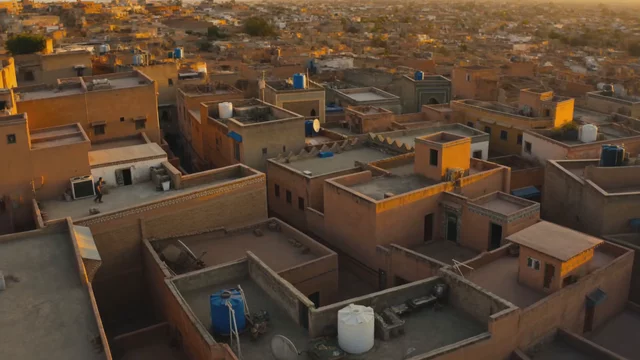
“Dynamic multi-shot chase: a parkour runner vaults across Moroccan rooftops at dusk, camera whips between wide drone shots and close handheld follows, footsteps and wind audible”
Généré avec Seedance 2.0 dans VideoGen

“Luxury perfume commercial: liquid gold ribbons swirl around a crystal bottle in slow motion, then snap into the logo etching as orchestral swell peaks”
Généré avec Seedance 2.0 dans VideoGen
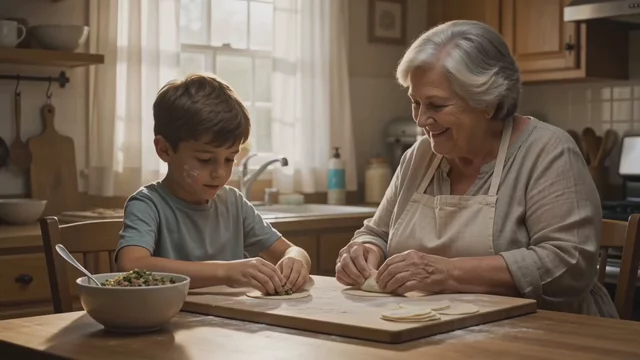
“Warm kitchen scene: a grandmother teaches her grandson to fold dumplings, she laughs and says 'Not too much filling, patience!', flour dust catches the window light”
Généré avec Seedance 2.0 dans VideoGen
What is Seedance?
Seedance is a family of AI video models for expressive motion and scenes guided by reference media. Inputs and clip limits depend on the version and mode.
Text-to-video
Describe the subject, action, camera movement, and mood. For a product reveal, give the clip one clear action, such as a bottle turning toward the light.
Image vers vidéo
Start with a product image when the opening frame matters. Describe how the subject or camera should move in a mode that supports image inputs.
Reference-guided scenes
Use supported image, video, or audio references to guide a scene. Check the version page for its reference types and limits.
Prompt ideas and examples
Explore Seedance prompts for motion, product shots, and dialogue. Adapt the subject and camera direction to fit your own storyboard.
Compare Seedance 2.0 and Seedance 2.5
Use this overview to find the version that fits your shot. Each version page has its own input limits and examples.
Seedance 2.0
Explore Seedance 2.0 for expressive clips guided by image, video, and audio references.
Seedance 2.5
Explore Seedance 2.5 for longer clips in one generation and more reference material.
Plan around the clip length
Use a short shot for a product detail. Consider a longer generation when several actions need to stay in one continuous scene.
Build the complete video
Combine Seedance scenes with other VideoGen tools when the storyboard calls for a different look.
How to create a Seedance video in VideoGen
1.Start a project
Open a video or create a new storyboard.
2.Plan the scene
Decide what the shot needs to show and how it should move.
3.Add a prompt
Describe the scene and attach supported references when useful.
4.Build the sequence
Place the generated clip with your other shots and refine the timing.
5.Finish and export
Add voiceover, music, and captions before sharing the final video.
Product stories made in VideoGen
See how individual shots become complete product videos.
Apparel & fashion product video
Food & beverage product video
Questions fréquentes
Démarrer un projet vidéoTransformez votre prochaine idée en une vidéo aboutie
Assemblez vos scènes dans VideoGen grâce au montage, à la voix off, à la musique et aux sous-titres.
Modèles de vidéos IA associé(e)
- Seedance 2.0Génération de vidéo IA de haute qualité avec des médias de référence
- Seedance 2.5Vidéo en un seul passage de 30 secondes avec audio natif et jusqu'à 50 entrées de référence
- Seedance PromptsCopy-paste Seedance prompts with real generated outputs
- Meilleurs modèles vidéo IALes meilleurs modèles vidéo IA en 2026, classés et évalués
- Higgsfield AI, HeyGen AI, Seedance, and VEED in VideoGen
- How to Use Seedance 2.0: Prompting and Multi-Shot Video
- How to Use Seedance 2.5: Text-to-Video, Image-to-Video, and References