Veo 3 Prompts
A curated library of prompts for Google DeepMind's Veo 3 and Veo 3.1, organized by use case and shown with real generated outputs. Copy any prompt, adapt the bracketed details, and run it in VideoGen.
Cinematic and documentary prompts
Veo 3 excels at film-like footage with natural light and shallow depth of field. These prompts layer subject, environment, camera, and mood, and the first three are shown with their actual generated outputs.
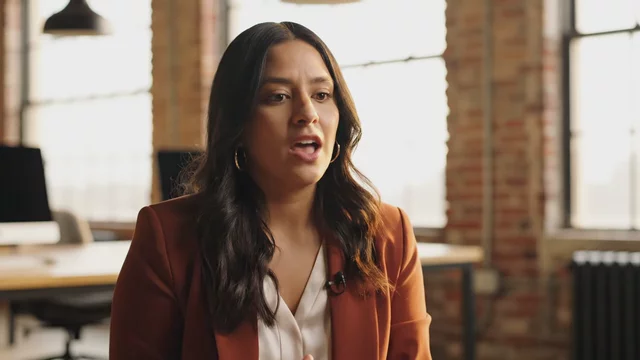
Documentary-style interview: a founder in a bright loft office says 'We didn't set out to build a company, we set out to fix a problem', natural window light, shallow depth of field
Generated with Veo 3.1 in VideoGen
Quoted dialogue makes Veo generate synchronized speech. Keep spoken lines short so lip sync stays clean.
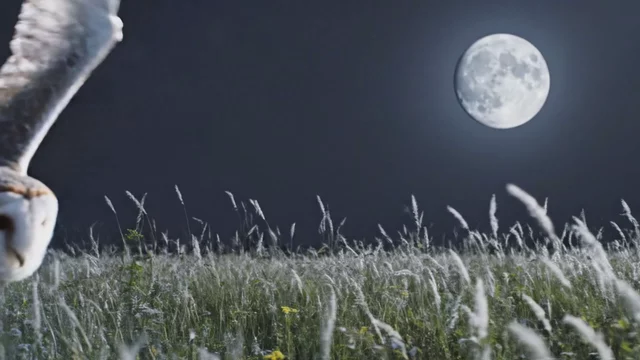
Nature documentary shot of a barn owl gliding silently over a moonlit meadow, slow motion feather detail, hushed narrator tone ambience
Generated with Veo 3.1 in VideoGen
Naming a genre like nature documentary sets grading, pacing, and camera style in one phrase.
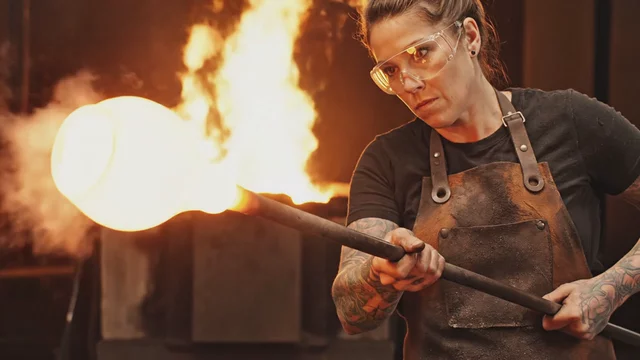
Macro cinematic shot inside a glassblowing workshop: molten glass glows and stretches as the artisan shapes a vase, furnace roar and crackle
Generated with Veo 3.1 in VideoGen
Describing the sound you want ('furnace roar and crackle') steers Veo's native audio generation.
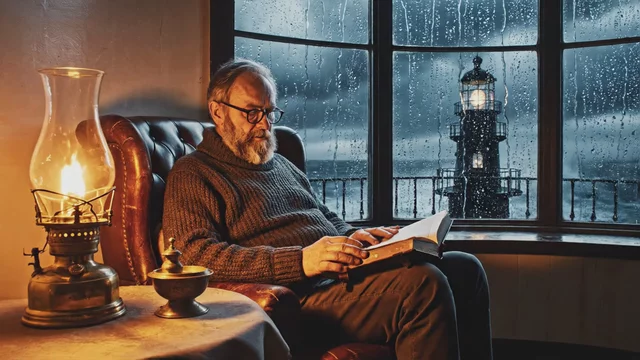
Slow dolly-in on a lighthouse keeper reading by lamplight as a storm builds outside the window, warm interior light against cold blue dusk, rain against glass, distant thunder
Generated with Veo 3.1 in VideoGen
Contrast two light temperatures in one scene to get a cinematic color palette without naming a LUT.
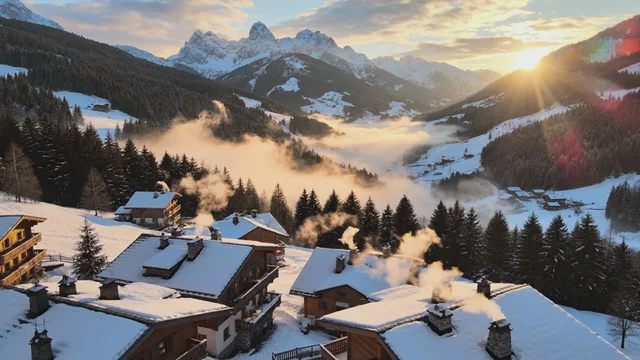
Aerial establishing shot descending toward a mountain village at dawn, mist in the valleys, smoke rising from chimneys, soft orchestral ambience, gentle continuous camera descent
Generated with Veo 3.1 in VideoGen
One continuous camera move per clip reads better than several cuts described in a single prompt.
Ad and product prompts
Prompts for commercial-style clips: product heroes, food, and brand moments. Swap the bracketed product for your own.
![Studio product hero shot of [a matte black wireless earbud case] rotating slowly on a glossy dark surface, dramatic rim lighting, dust particles in the light beam, deep bass pulse](https://image.media.videogen.io/xo9f3N1fA7HDJABiSOzBixs00W5bcP6RxxxHpxP7Nitg/thumbnail.webp?time=0&width=640)
Studio product hero shot of [a matte black wireless earbud case] rotating slowly on a glossy dark surface, dramatic rim lighting, dust particles in the light beam, deep bass pulse
Generated with Veo 3.1 in VideoGen
Rim lighting plus a dark reflective surface is the most reliable recipe for a premium product look.

Overhead slow-motion shot of honey drizzling onto a stack of golden pancakes, steam rising, morning kitchen light, soft acoustic guitar
Generated with Veo 3.1 in VideoGen
Food prompts work best with one hero action (the drizzle) rather than a full recipe sequence.
![A runner ties [brand-name trail shoes] at sunrise on a foggy ridge, macro detail of the laces pulling tight, then a wide shot as she sprints toward the light, driving percussion builds](https://image.media.videogen.io/udoEwaPKcxbkwTe47czg00fdtWuDMQ7wfYEILepk4ByY/thumbnail.webp?time=0&width=640)
A runner ties [brand-name trail shoes] at sunrise on a foggy ridge, macro detail of the laces pulling tight, then a wide shot as she sprints toward the light, driving percussion builds
Generated with Veo 3.1 in VideoGen
Macro-to-wide is a two-beat structure Veo handles well when both beats share one subject.
Dialogue and audio-first prompts
Native synchronized audio is Veo 3's signature. Put spoken lines in quotes and describe ambience explicitly.
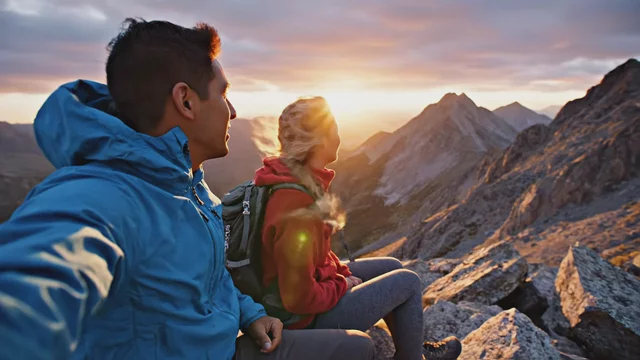
Two hikers rest on a summit at golden hour, one points at the horizon and says 'Told you it was worth it', wind flapping jackets, distant birds, handheld camera feel
Generated with Veo 3.1 in VideoGen
Give the line to a specific character and add ambient sound layers so speech sits naturally in the mix.
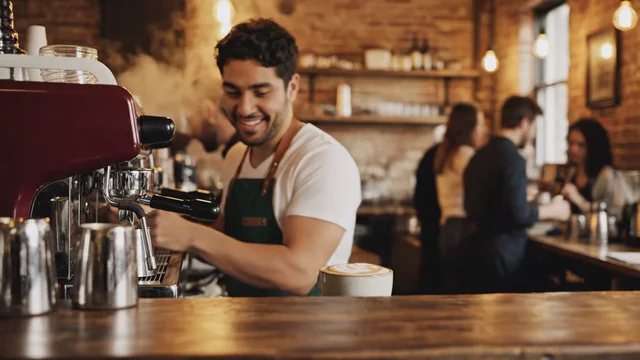
A barista slides a latte across the counter and says 'This one's on the house', cozy cafe ambience with espresso machine hiss and low chatter, warm tungsten light
Generated with Veo 3.1 in VideoGen
Short single-sentence dialogue keeps lip sync tight. Two sentences is usually the practical limit.
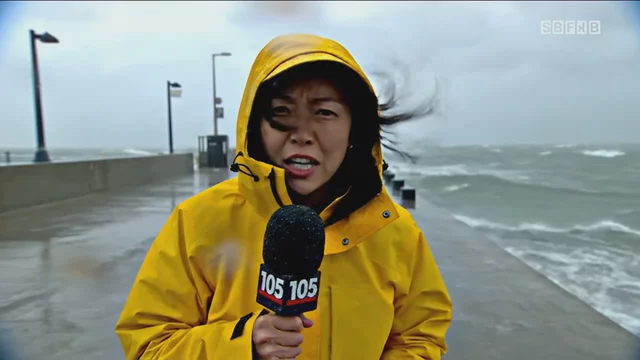
News-style stand-up: a reporter in a rain jacket speaks to camera on a windy pier, 'Conditions here are changing by the minute', waves crashing behind, handheld urgency
Generated with Veo 3.1 in VideoGen
Naming the format ('news-style stand-up') sets framing, tone, and audio perspective at once.
Vertical and social prompts
Prompts framed for 9:16 TikTok, Reels, and Shorts. Ask for vertical framing explicitly and keep the subject centered.
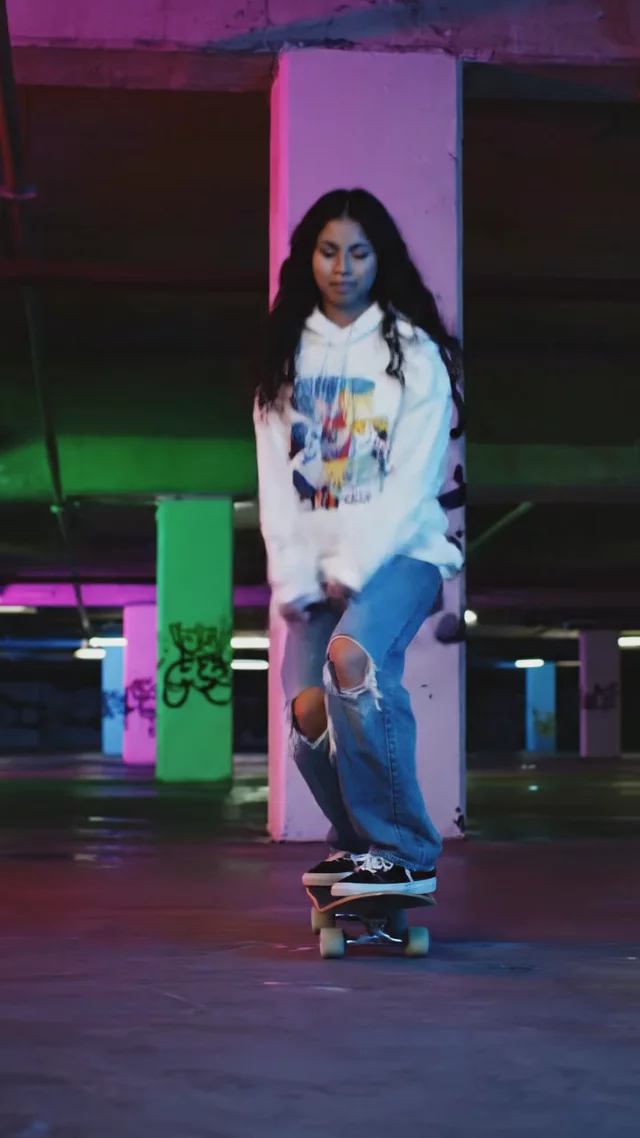
Vertical 9:16 clip: a skateboarder lands a kickflip in a neon-lit parking garage at night, camera low and close, wheels clacking echo, quick whip pan to celebration
Generated with Veo 3.1 in VideoGen
Low, close camera positions read best on phone screens. Mention 9:16 directly in the prompt.
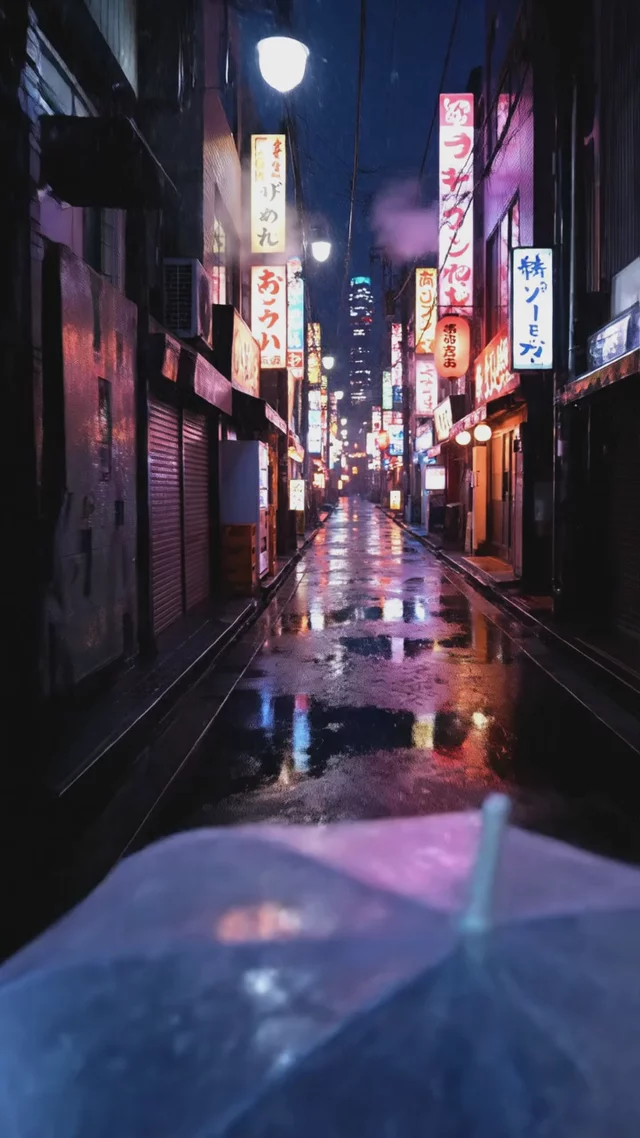
Vertical POV shot walking through a Tokyo alley in light rain at night, neon reflections on wet pavement, umbrella tapping sounds, lo-fi beat ambience
Generated with Veo 3.1 in VideoGen
POV plus a strong ambient soundscape is a reliable formula for loopable social footage.
![Vertical close-up of hands unboxing [a pastel smartwatch], crisp paper sounds, satisfying peel of the screen protector, soft daylight from the left](https://image.media.videogen.io/PyAWZszd6aXRNmfwZUHwN015tPPpPRW003V5LV3GoYwC8/thumbnail.webp?time=0&width=640)
Vertical close-up of hands unboxing [a pastel smartwatch], crisp paper sounds, satisfying peel of the screen protector, soft daylight from the left
Generated with Veo 3.1 in VideoGen
ASMR-style sound cues ('crisp paper sounds') make unboxing clips feel produced rather than generated.
How to write prompts for Veo 3
Layer prompts in five parts
The most reliable Veo 3 prompt structure is subject and action, environment and lighting, camera, style and mood, then audio. You do not need every layer every time, but keeping this order makes results predictable and easy to iterate.
Put dialogue in quotes
Veo 3 generates synchronized speech when spoken lines appear in quotation marks. Keep lines short, give them to a specific character, and describe the surrounding ambience so the voice sits naturally in the mix.
One shot per clip
Clips run up to 8 seconds, so prompt for a single continuous shot or one clean camera move. If you need a sequence, generate each shot separately and assemble them in the VideoGen editor.
Describe what you want, not what to avoid
Negative phrasing like 'no text overlays' tends to be ignored. Instead, positively describe the frame you want: 'clean uncluttered frame, subject centered, natural background'.
Reuse a style sentence across clips
To keep a multi-clip project consistent, end every prompt with the same style sentence, for example 'warm film-like grade, soft contrast, gentle grain'. Consistent wording produces consistent grading.
“VideoGen is awesome for scaling video production and improving turnaround time... The complex process of video editing, which could take days or months, now takes minutes!”
“VideoGen solves the biggest pain points of video production—complexity, cost, and time. In just a few clicks, anyone can create professional, copyright-free videos.”
“VideoGen is the most underrated tool for content creators who want to put out the highest quality content in the shortest amount of time.”
Frequently asked questions
Run these prompts in VideoGen.
Sign in to generate clips from any prompt in this library, then build them into finished videos with narration, music, and captions.
Related AI video models
- Veo 3Professional AI video generation for polished clips
- Veo 3.1Next-generation AI video with improved realism and audio
- Sora 2 vs Veo 3Compare Sora 2 and Veo 3 on realism, audio, clip length, and availability
- Best AI Video ModelsThe best AI video models in 2026, ranked and benchmarked