GPT Image 2.5 Is Coming Soon to VideoGen Image Max
GPT Image 2.5 is coming soon to VideoGen Image Max. See what OpenAI's new image model means for script-to-video, storyboard-to-video, prompt-to-video, and entity references.

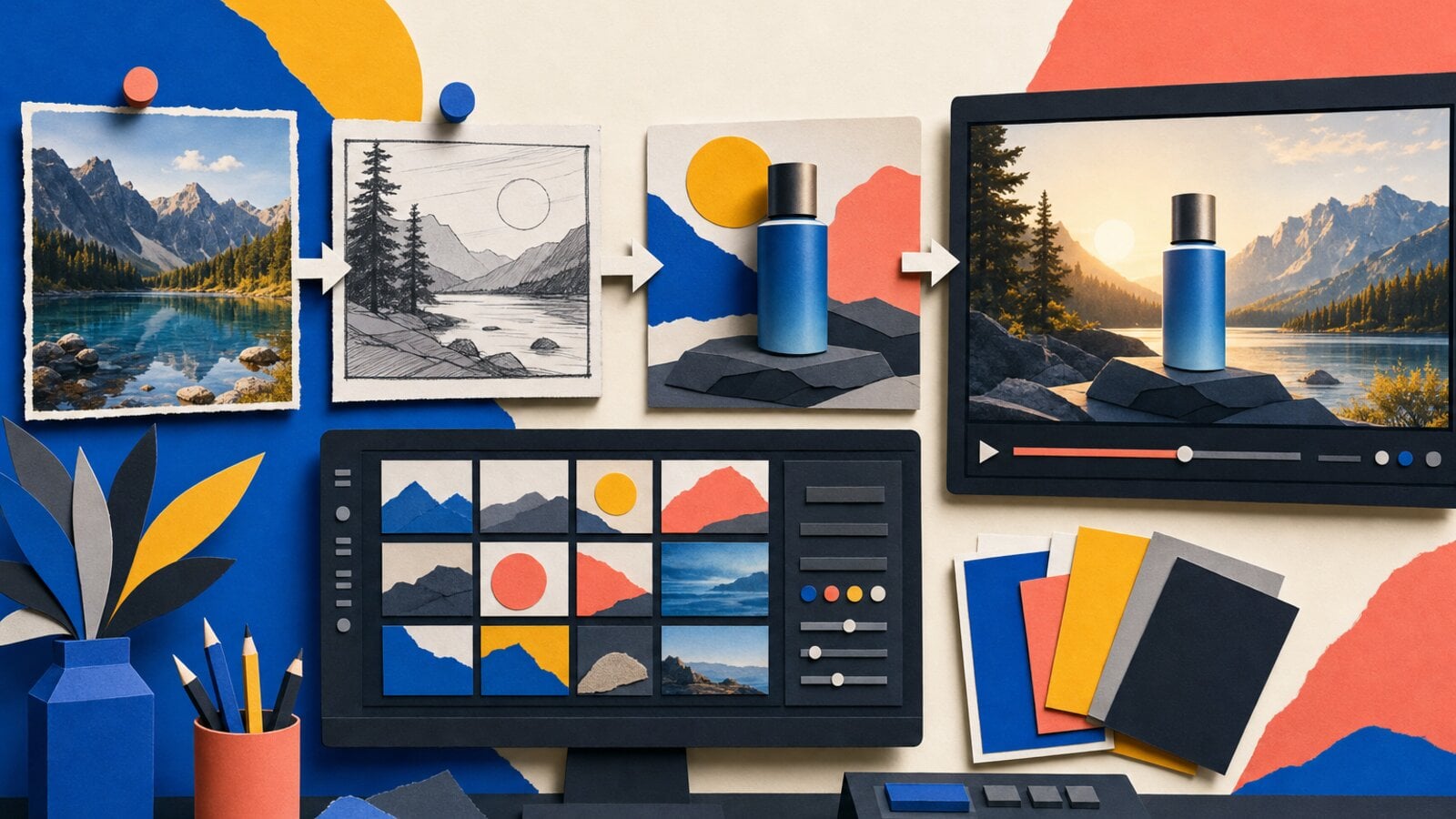
GPT Image 2.5 is coming soon to VideoGen Image Max.
OpenAI's new image model is built around a practical promise: sharper images are useful, but sharper images that preserve the right details through generation and editing are much more valuable. In its official announcement, OpenAI highlights more natural lighting, richer textures, stronger reference-photo fidelity, more reliable editing, and up to 50% lower generation latency than Images 2.0.
We plan to bring those improvements to VideoGen's Image Max mode. That means better source images at the point where a video starts, better control when a scene needs a revision, and more dependable visual continuity when the same subject appears across a project.
What is GPT Image 2.5?
GPT Image 2.5 is OpenAI's latest image generation and editing model family. OpenAI is making it available in ChatGPT, ChatGPT Work, and Codex, and it is also releasing two API models:
- GPT-Image-2.5 Flare is the faster default for most applications, with improvements in quality, editing, and speed.
- GPT-Image-2.5 Sunburst is designed for premium creative work that benefits from tighter control across edits and longer generation times.
The important change is not only that the model can make a more polished image. It is that it is better at understanding what should change and what should stay the same. That distinction matters when an image is part of a larger production workflow rather than a one-off experiment.
What OpenAI's examples show
OpenAI's announcement includes examples that make the improvement easy to see. The strongest pattern is controlled transformation: the output changes in the requested way while the identity, layout, and visual treatment remain anchored.
Reference-photo fidelity
In OpenAI's baby portrait example, the source is a printed studio portrait with a blue background. The edited result changes the child's clothing to an ivory tuxedo while preserving the pose, framing, and recognizable subject.

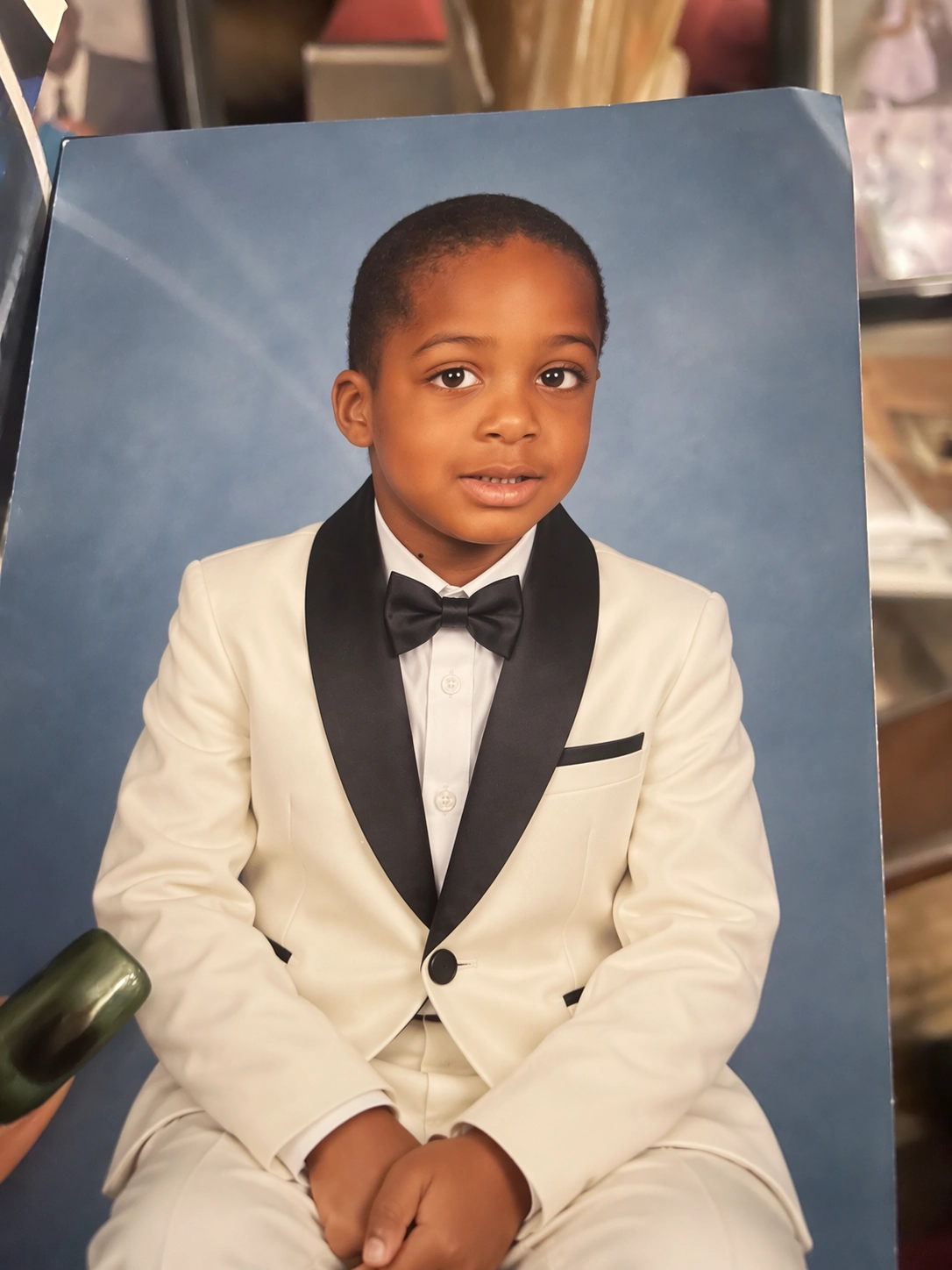
Source: OpenAI's GPT Image 2.5 announcement. VideoGen hosts these examples for this article and credits OpenAI as the source.
That kind of preservation is especially useful when a product, person, or location needs to remain recognizable across several creative variations. A prompt can ask for a new setting or treatment without requiring the whole image to be rebuilt from scratch.
Richer style and texture
OpenAI also shows a retrofuturist illustration of a family looking into a cylindrical space habitat. The example demonstrates the model's ability to combine a specific visual direction with a dense scene, lighting, and texture.
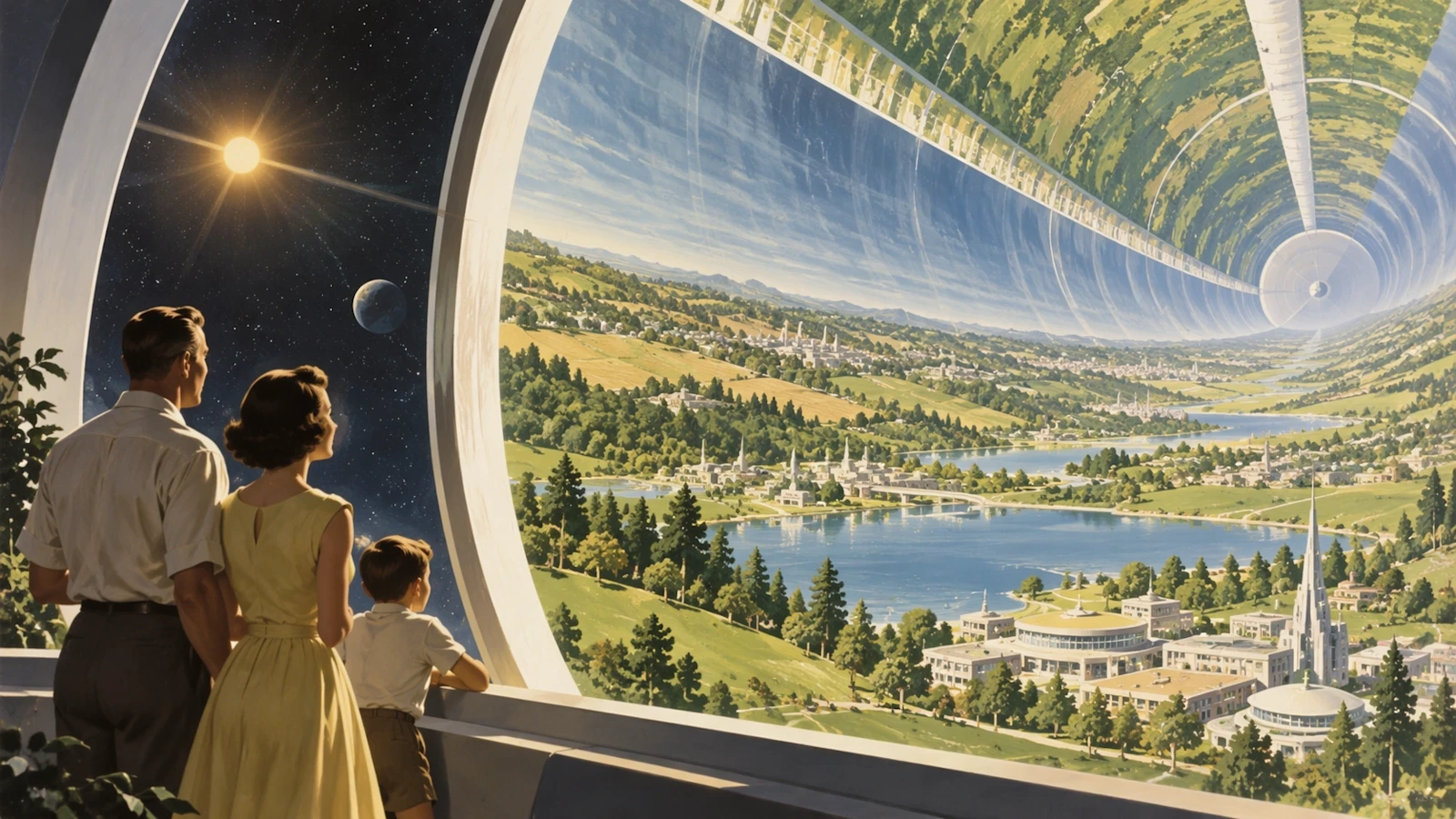
Source: OpenAI's GPT Image 2.5 announcement.
For video, style is not decoration added after the fact. It shapes the opening frame, the color and lighting of a scene, and the way a sequence feels when several shots are viewed together.
More accurate layouts
Another OpenAI example is a solar-flares presentation graphic. It combines a title, a central image, and a four-step explanatory diagram. OpenAI describes Images 2.5 as better at complex visual instructions and real-world information, including layouts and transparent backgrounds.
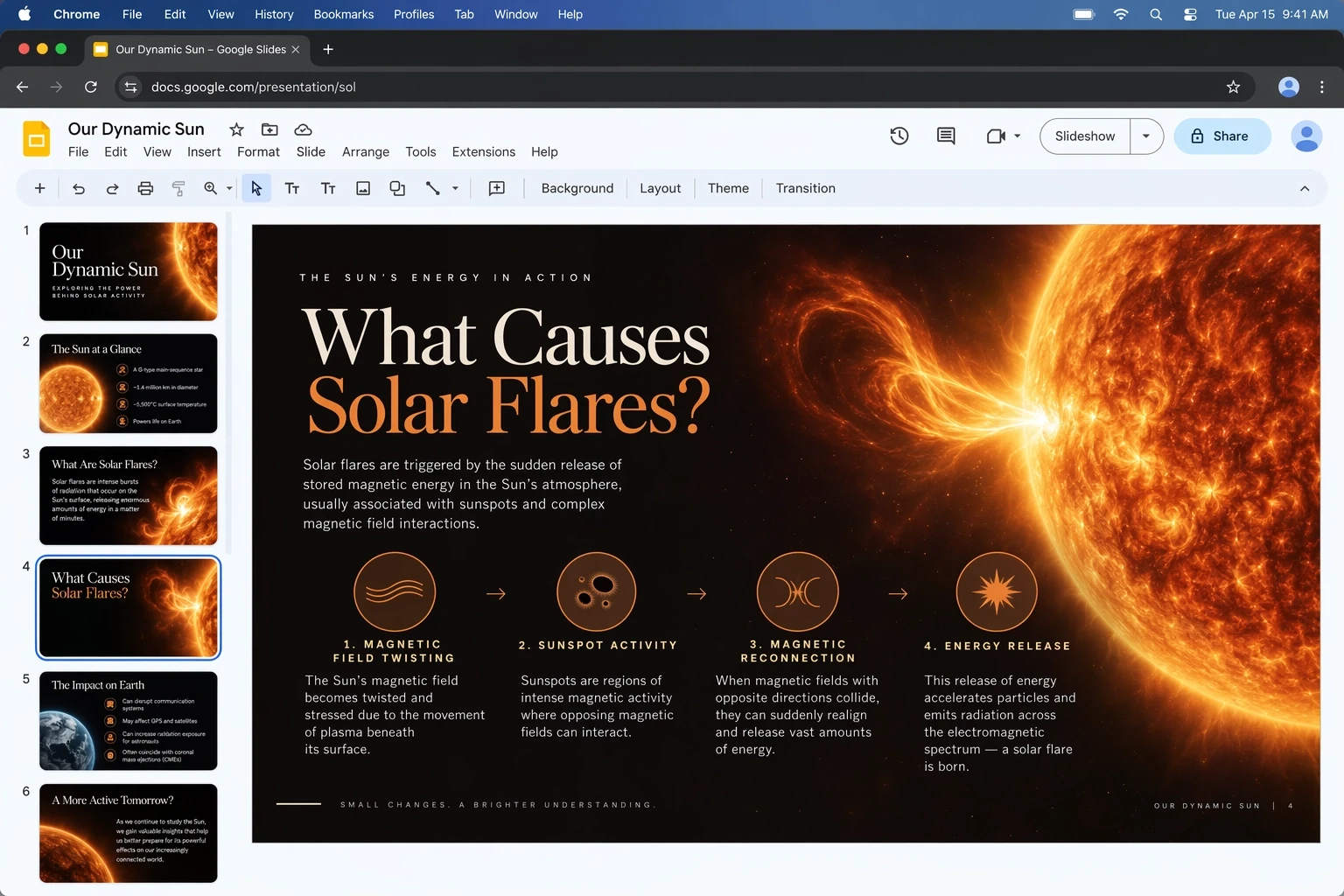
Source: OpenAI's GPT Image 2.5 announcement.
This is the type of output that can turn a spoken point into a useful visual moment. A script scene about a process, a storyboard card that needs a clear composition, or a product explainer that needs readable structure all benefit when the image model follows more than a loose description of the subject.
Sharing a promptable visual idea
OpenAI's announcement also includes a 1980s-style headshot with neon lighting, a windbreaker, a gold chain, and a boombox. The example sits alongside a new option to share the prompt behind an image, so someone else can reuse the idea with their own details.
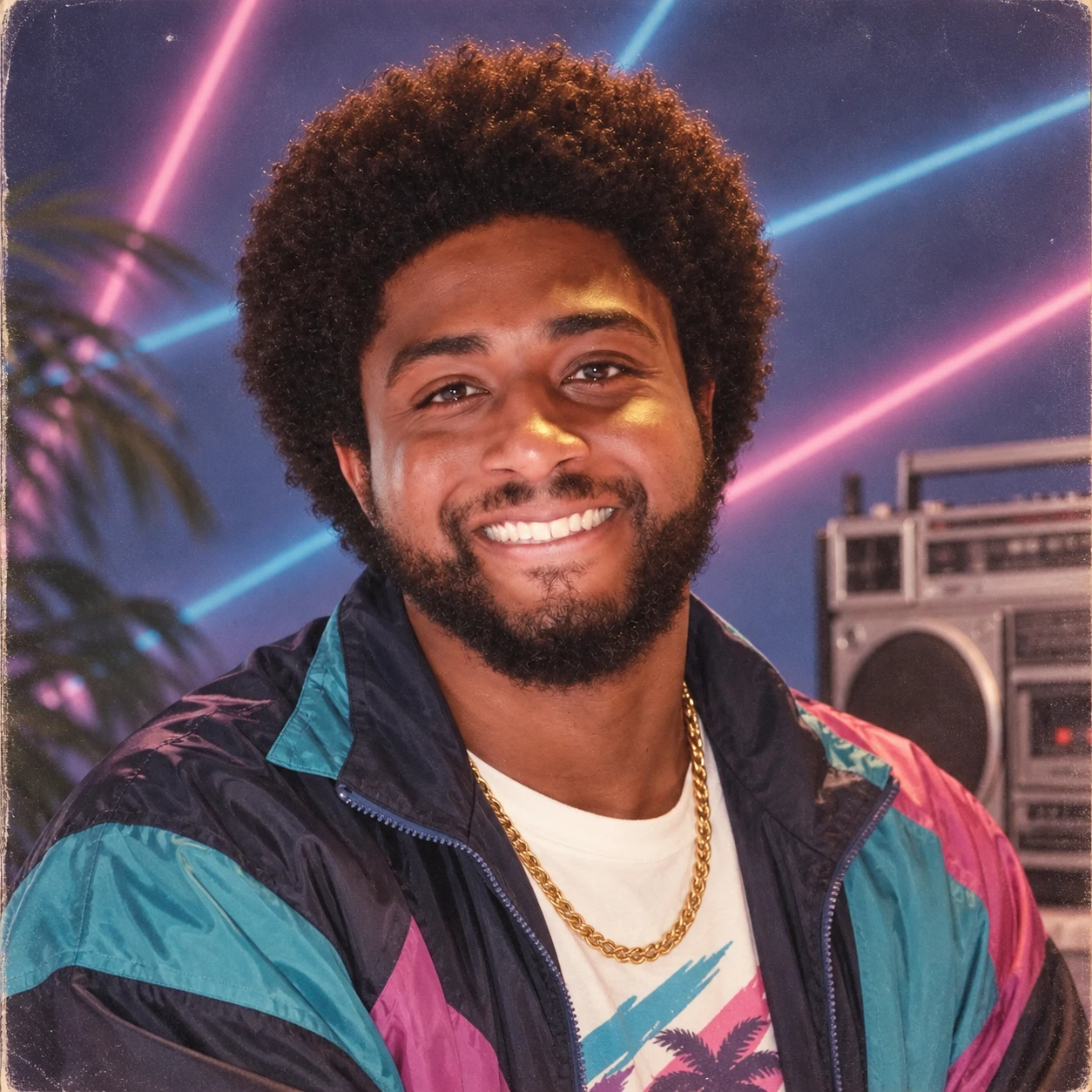
Source: OpenAI's GPT Image 2.5 announcement.
The broader lesson is that good image generation is becoming easier to iterate on. The first result is a starting point, not a final commitment.
GPT Image 2.5 in VideoGen Image Max
VideoGen Image Max is designed for the highest-quality image generation path in VideoGen. It is where we put the strongest available image capability after evaluating quality, reference fidelity, latency, safety, and production reliability.
GPT Image 2.5 is a natural fit for that mode. We plan to use the new model family in Image Max so that the images created in VideoGen can carry more of the user's intent into the rest of the project. The exact provider routing will be validated before release. The product promise is straightforward: Image Max should keep moving forward as the best image models improve.
This matters because VideoGen does not treat an image as an isolated download. Images become scenes, first frames, visual references, entity references, and building blocks for a complete video.
How the upgrade will help across VideoGen workflows
Script to video
Script to video turns written narration into a scene-by-scene video. Each scene needs a visual that supports the spoken idea, fits the pacing, and belongs to the same overall creative direction.
With GPT Image 2.5 in Image Max, we expect stronger results for:
- Visualizing specific products or people from reference images.
- Creating on-brand scene images from a detailed script.
- Editing one visual detail without losing the rest of the composition.
- Building a coherent look across many generated scenes.
The goal is not to replace the script. It is to make the visual interpretation of the script more faithful and easier to refine.
Storyboard to video
Storyboard to video makes continuity a first-class requirement. A character, product, wardrobe choice, or location may appear in several frames before the storyboard is animated.
GPT Image 2.5's improvements to reference-photo fidelity and multi-turn editing consistency should help keep those decisions stable. If a storyboard frame needs a new camera angle or a small art-direction change, the workflow can preserve the established subject and composition instead of starting over with a completely new interpretation.
That is especially important for marketing teams creating product launches, ecommerce campaigns, and customer stories where the same visual identity needs to survive from the first frame to the final cut.
Prompt to video
Prompt to video often begins with a single generated still that becomes the visual anchor for a moving clip. That still has to communicate the subject, composition, lighting, and mood before motion is added.
Image Max with GPT Image 2.5 should make that first frame more useful. Better layout following can put the subject in the right place. Better reference handling can keep a product or person recognizable. More precise editing can make a correction without throwing away the parts that already work.
The result is a cleaner handoff from an idea in text to a visual starting point for motion.
Entities and reusable references
VideoGen entities let a project carry reusable visual references for people, products, and other important subjects. They are valuable when a visual needs to remain recognizable across prompts and workflows.
GPT Image 2.5's focus on preserving distinctive features is directly relevant here. An entity reference should give the model a stable visual anchor, not merely a name in a prompt. We plan to use Image Max to make entity-led variations more dependable while keeping the surrounding scene, style, and composition flexible.
That opens up more useful patterns for teams:
- A product entity can appear in several campaign concepts.
- An actor entity can carry through multiple storyboard scenes.
- A brand reference can guide a family of script-to-video visuals.
- A visual style can be reused without forcing every scene into the same composition.
Why this is coming to Image Max first
The value of a frontier image model is highest when the image is part of a larger chain of decisions. A slightly better standalone image is nice. A better first frame that remains consistent through a storyboard, an edit, and an export is much more valuable.
Image Max gives VideoGen a clear place to make those capabilities available. People who need a quick draft can keep using the lower tiers. People who need the strongest reference handling, precise edits, and visual continuity will have a quality mode built for that work.
We will continue evaluating the model on real VideoGen use cases before the rollout. That includes product imagery, people and entities, text-heavy layouts, repeated edits, and the handoff from generated images into video workflows.
When will GPT Image 2.5 be available in VideoGen?
GPT Image 2.5 is coming soon to VideoGen Image Max. It is not available in VideoGen yet, and we are not announcing a specific launch date in this preview. We will share availability once the integration has completed product, quality, safety, and reliability checks.
When it arrives, the model will be useful wherever a project needs a strong visual starting point: a scene in script to video, a continuity frame in storyboard to video, a first frame for prompt to video, or a reference-led generation built around an entity.
Frequently asked questions
What is GPT Image 2.5?
GPT Image 2.5 is OpenAI's latest image generation and editing model family. OpenAI says it improves image fidelity, precise editing, multi-turn consistency, style handling, and generation speed. The API release includes GPT-Image-2.5 Flare and GPT-Image-2.5 Sunburst.
Is GPT Image 2.5 available in VideoGen?
Not yet. VideoGen is bringing GPT Image 2.5 to Image Max mode soon. We will publish availability details after the integration is ready.
Which VideoGen workflows will use GPT Image 2.5?
The planned Image Max integration is intended to improve image generation across script to video, storyboard to video, prompt to video, and entity-based reference workflows.
Will GPT Image 2.5 replace every image model in VideoGen?
No. Image Max is the quality-focused mode. VideoGen will continue to choose the right model and quality tier for different needs, including fast drafts and high-volume generation.
Can I use GPT Image 2.5 for video generation?
GPT Image 2.5 generates and edits images. In VideoGen, those images can become scene visuals, storyboard frames, entity references, and first frames for video generation.
Explore VideoGen's AI image generator and read OpenAI's official GPT Image 2.5 announcement.

 Merhannah A.
 David Grossman
 Richard D.