GPT Image 2 vs. Nano Banana 2: Which Image Model Should You Use?
GPT Image 2 and Nano Banana 2 both create and edit images. Compare typography, references, layouts, speed, and VideoGen workflows to choose the right model.

GPT Image 2 and Nano Banana 2 are both strong choices for modern image generation and editing. The better model depends on the job, the references you have, and where the image will go next.
This comparison focuses on the questions that matter in a production workflow: typography, references, layouts, editing, speed, and how easily the result becomes part of a VideoGen project.
GPT Image 2 vs. Nano Banana 2 at a glance
| Need | GPT Image 2 | Nano Banana 2 |
|---|---|---|
| Structured layouts | Strong choice for posters, diagrams, and marketing graphics | Strong choice for complex scene composition |
| Text rendering | Strong multilingual text rendering | Strong semantic image understanding and editing |
| Reference-led work | Text and reference-image inputs | Reference-focused image generation and editing |
| Editing | Prompt-based edits with high-fidelity inputs | Prompt-based edits and iterative variations |
| Best first test | Text-heavy product or campaign visual | Multi-reference concept or flexible visual variation |
These are practical positioning guidelines, not a universal ranking. Run the same brief through both models when the result matters.
Compare real outputs, not model names
VideoGen already has generated examples for both models. The GPT Image 2 page includes a cafe menu, an infographic, and an isometric home. The Nano Banana 2 page includes a farmers-market poster, a product label, and a consistent-character storyboard.
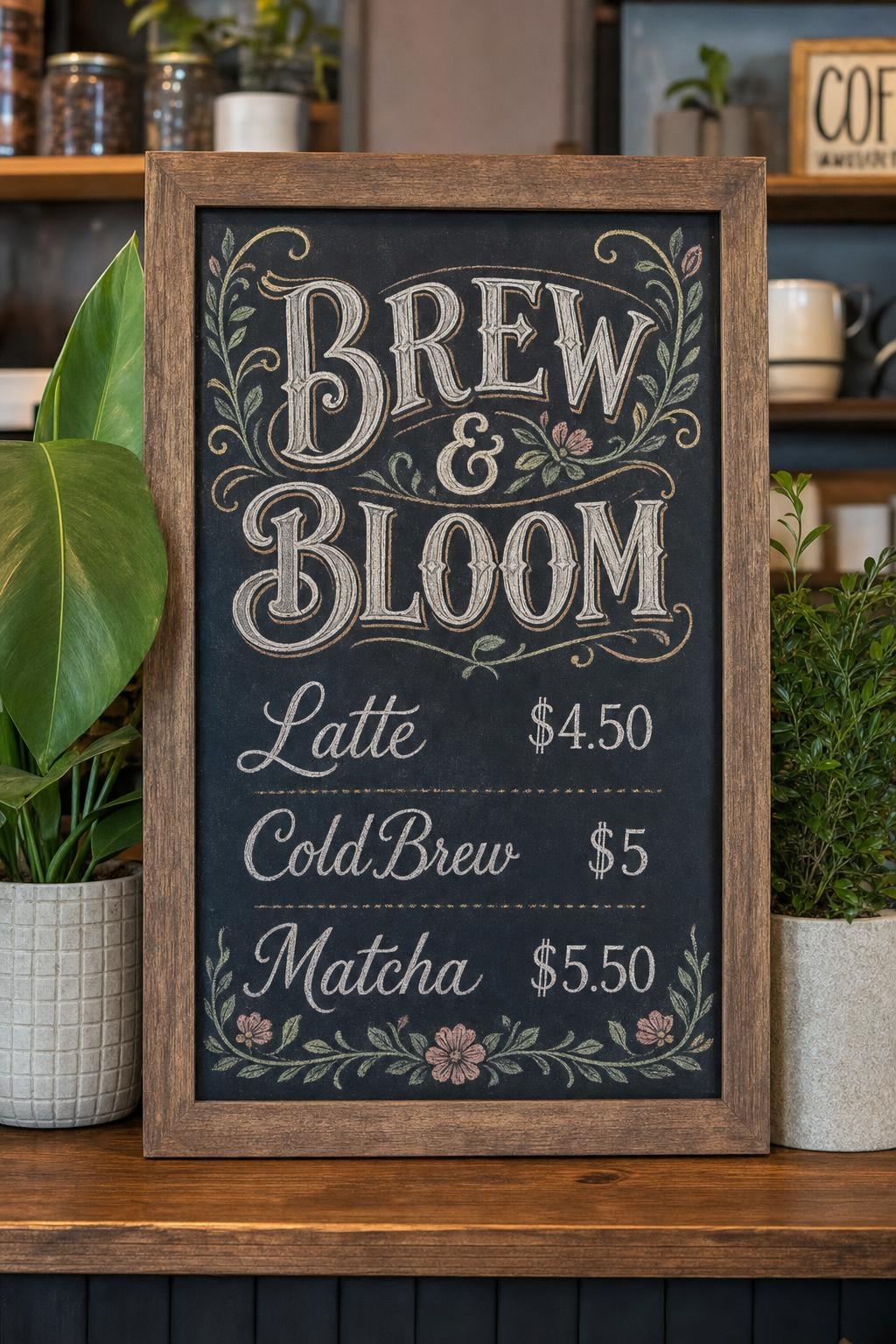
GPT Image 2 example: a text-heavy vertical menu with a clear layout.
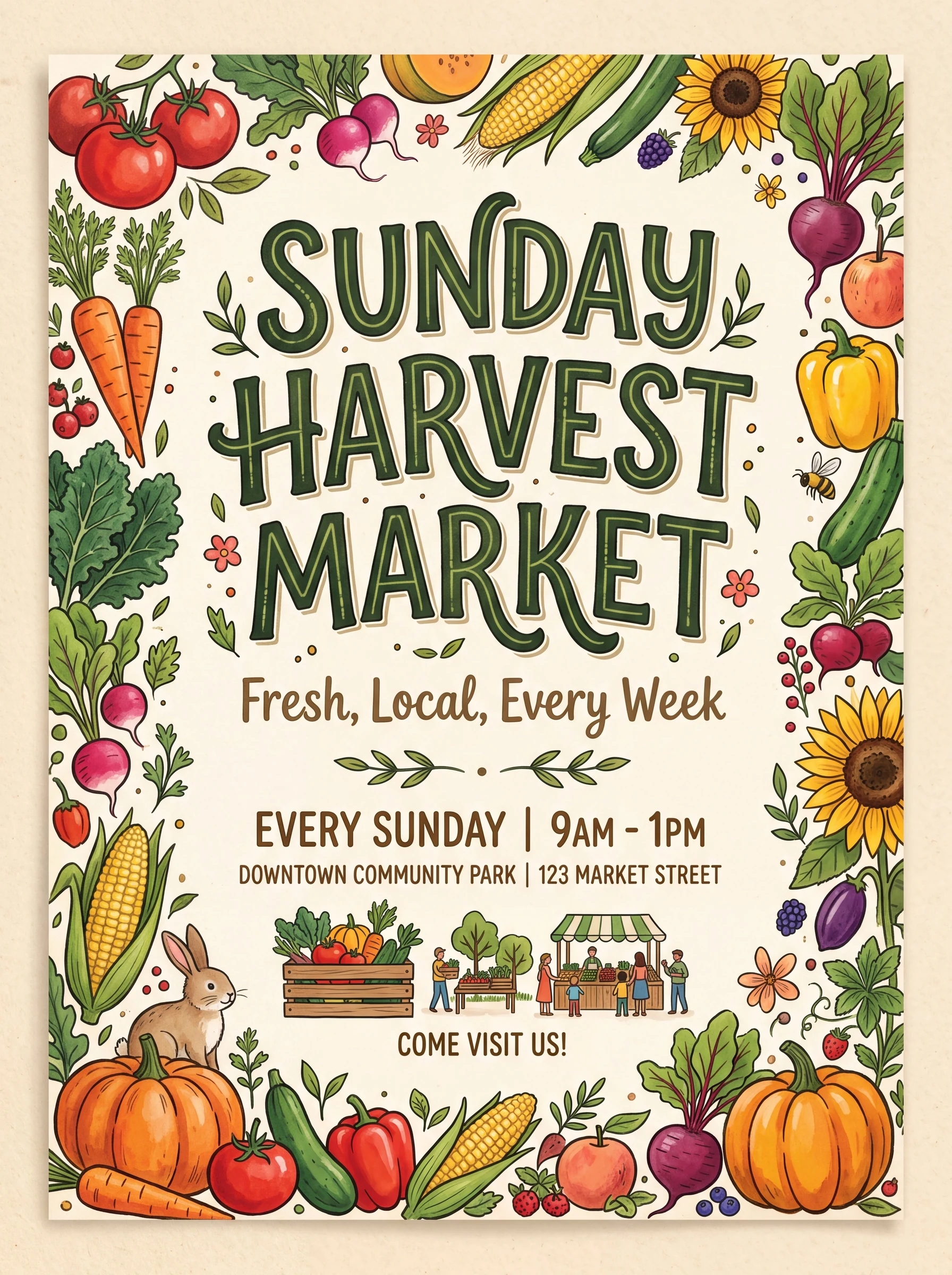
Nano Banana 2 example: a poster-style composition with an illustrated border and multiple text elements.
Choose GPT Image 2 for structured marketing visuals
GPT Image 2 is a good first choice when the image has a layout that must be understood:
- A product poster with an exact headline.
- A social graphic with several labeled sections.
- A presentation slide with a diagram.
- An ecommerce visual with a product name and callout.
- A thumbnail where the subject and copy need clear hierarchy.
The prompt should specify the content and the placement:
A square launch graphic for a ceramic coffee dripper. The product sits in the lower-left third on a warm stone counter. The headline must read exactly "BREW BETTER" in large dark sans-serif type at the top. Leave open space in the upper-right corner for a small badge. Soft morning window light, clean editorial product photography, no extra words.
After generation, edit one decision at a time. Ask for a new background, a different product color, or a revised crop while stating what should remain unchanged.
Read the GPT Image 2 model page in VideoGen for its current specs and examples.
Choose Nano Banana 2 for reference-rich exploration
Nano Banana 2 is useful when the creative brief depends on several visual relationships. A product, setting, person, or style reference can help the model understand what needs to persist while the scene changes.
It is a good candidate for:
- Exploring several art directions from the same reference.
- Making a subject appear in multiple locations.
- Iterating on a concept with repeated edits.
- Building a visual direction before a final campaign asset.
The Nano Banana 2 page in VideoGen shows the model's examples and how to try it in the image workflow.
Compare on the same prompt
Model names are less useful than a controlled comparison. Use the same:
- Prompt.
- Reference images.
- Aspect ratio.
- Output format.
- Quality target.
Then check:
- Does the product remain recognizable?
- Is the copy legible and correctly placed?
- Does the composition leave room for a crop or video motion?
- Does the edit preserve the parts you did not ask to change?
- How much manual cleanup would a designer need?
For a campaign team, the best model is the one that reduces revisions, not the one that wins a single unstructured prompt.
What this means inside VideoGen
Both models can be part of a complete video workflow:
- Generate a still for a script-to-video scene.
- Create a first frame for prompt-to-video.
- Build storyboard frames around a product or character.
- Create a thumbnail or social cut from the same project.
VideoGen's quality modes route image generation based on the request and the model set. You can compare the two models directly in the AI image experience, then carry the stronger image into the editor.
The model pages are the best place to start:
Fal's reference article, GPT Image 2 vs. Nano Banana 2, is useful for a provider-level comparison. VideoGen adds workflow context by showing what happens after the image is generated.
The short answer
Choose GPT Image 2 when the image must follow a structured layout, render exact copy, or support a flexible marketing format. Choose Nano Banana 2 when the brief is reference-heavy and you want to explore variations quickly.
When the asset is important, generate both. The fastest path to a good decision is a side-by-side test with the real product, real copy, and the real aspect ratio you plan to publish.


 David Grossman