Seedance 2.5 vs. Seedance 2.0: What Changed?
Compare Seedance 2.5 and Seedance 2.0 across duration, references, native audio, editing, and VideoGen workflows.


Seedance 2.5 is positioned as the successor to Seedance 2.0, but the right choice depends on the shot you are making. Seedance 2.0 is already useful for expressive short clips, dialogue, native audio, and reference-led generation. Seedance 2.5 extends the model family toward longer, more continuous story beats.
This comparison focuses on the practical differences.
Fal's Seedance 2.5 vs. Seedance 2.0 comparison provides a useful provider-level reference. VideoGen adds a workflow lens: which model makes the scene easiest to finish?
Both Seedance pages now surface the same three 20-second examples from VideoGen. They are useful for comparing the family at a glance because they show product, macro, and fashion-oriented visual beats without relying on captions.
Seedance 2.5 vs. Seedance 2.0
| Capability | Seedance 2.0 | Seedance 2.5 |
|---|---|---|
| Single-pass duration | Up to 15 seconds, with shorter limits at some resolutions | Up to 30 seconds |
| Native audio | Yes | Yes |
| Multimodal references | Images, video, and audio references | Larger reference budget across images, video, and audio |
| Best fit | Expressive short-form clips and multi-shot prompts | Longer narrative beats and continuity-heavy scenes |
| Editing | Prompt-led regeneration | More localized editing and reference-guided changes |
The exact provider limits and availability can change. Check the current Seedance 2.0 page and Seedance 2.5 page before planning a production run.
Existing Seedance examples in VideoGen
VideoGen's Seedance Prompts page contains generated examples made with Seedance 2.0. They are useful for evaluating the kinds of motion, dialogue, product action, and multi-shot structure that the family can support. They should not be read as Seedance 2.5 benchmark outputs.

Seedance 2.0 product example: a clear hero action with an audio beat.
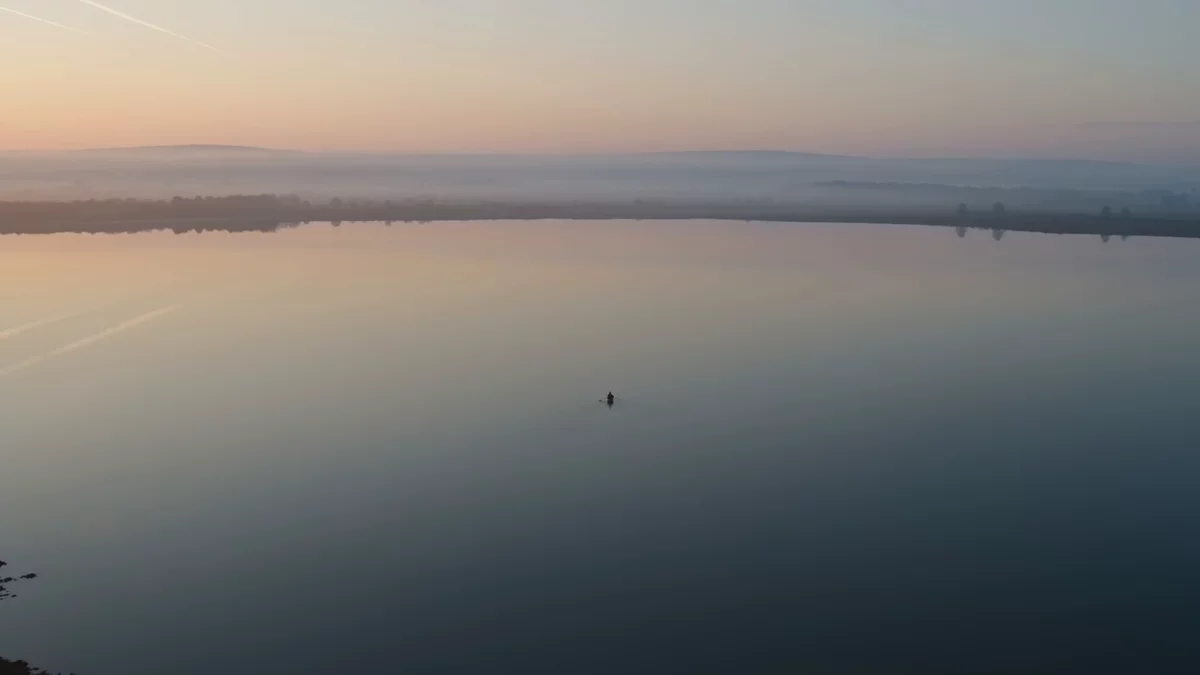
Seedance 2.0 multi-shot example: one subject and one soundscape carry the sequence across cuts.
When Seedance 2.0 is the better choice
Use Seedance 2.0 when you need:
- A short social clip with expressive motion.
- Dialogue and sound effects in the same generation.
- A multi-shot prompt with a clear beginning and end.
- A fast way to test a creative direction.
- An established VideoGen prompt library with real outputs.
The Seedance Prompts page includes action, dialogue, product, and multi-shot examples. Its prompt structure is simple: describe the physical action, the camera, the mood, and the sound.
When Seedance 2.5 is the better choice
Use Seedance 2.5 when the scene benefits from more time:
- A product story with several beats.
- A character entering, acting, and resolving an action.
- A longer storyboard frame that should not feel stitched together.
- A scene with several references that need to remain consistent.
- A localized edit that should preserve the rest of a clip.
The extra duration is valuable only when the prompt has a clear structure. A longer generation gives ambiguous instructions more time to drift.
Reference capacity changes the workflow
Both models can use reference media, but Seedance 2.5 is designed around a larger multimodal reference budget. That matters when a scene depends on several things at once:
- Product identity.
- Actor or character identity.
- Wardrobe.
- A previous scene frame.
- A style reference.
- Audio or dialogue.
Instead of describing every detail in text, attach references and assign each one a job. The model can then use the prompt to explain how the references should interact.
How the choice affects VideoGen workflows
Prompt to video
Seedance 2.0 is a strong starting point for a single expressive clip. Seedance 2.5 becomes more useful when the prompt describes a longer story beat or a product action with several stages.
Storyboard to video
Seedance 2.5's longer single-pass duration can reduce the need to split one scene into several tiny clips. Seedance 2.0 remains useful when each storyboard card is a focused moment.
Script to video
Both models can create supporting footage around narration. Choose based on whether the scene needs a short visual accent or a longer visual sequence that carries the spoken idea from setup to payoff.
Entities and references
Both can benefit from reusable actor and product references. Seedance 2.5 is the better candidate when a scene contains many references or requires stronger continuity across a long beat.
The simplest decision rule
Choose Seedance 2.0 for focused short clips and prompt experimentation. Choose Seedance 2.5 when duration, reference capacity, and continuity are the limiting factors.
You can compare both models in VideoGen:
Fal's Seedance 2.5 vs. Seedance 2.0 comparison provides the provider-level specification comparison. VideoGen adds the project context, where the best model is the one that gives you a usable scene with fewer revisions.