Character consistency in storyboard to video
How VideoGen works around tight image budgets with labeled reference sheets, @ mentions across workflows, and a path toward full actor sprite sheets.

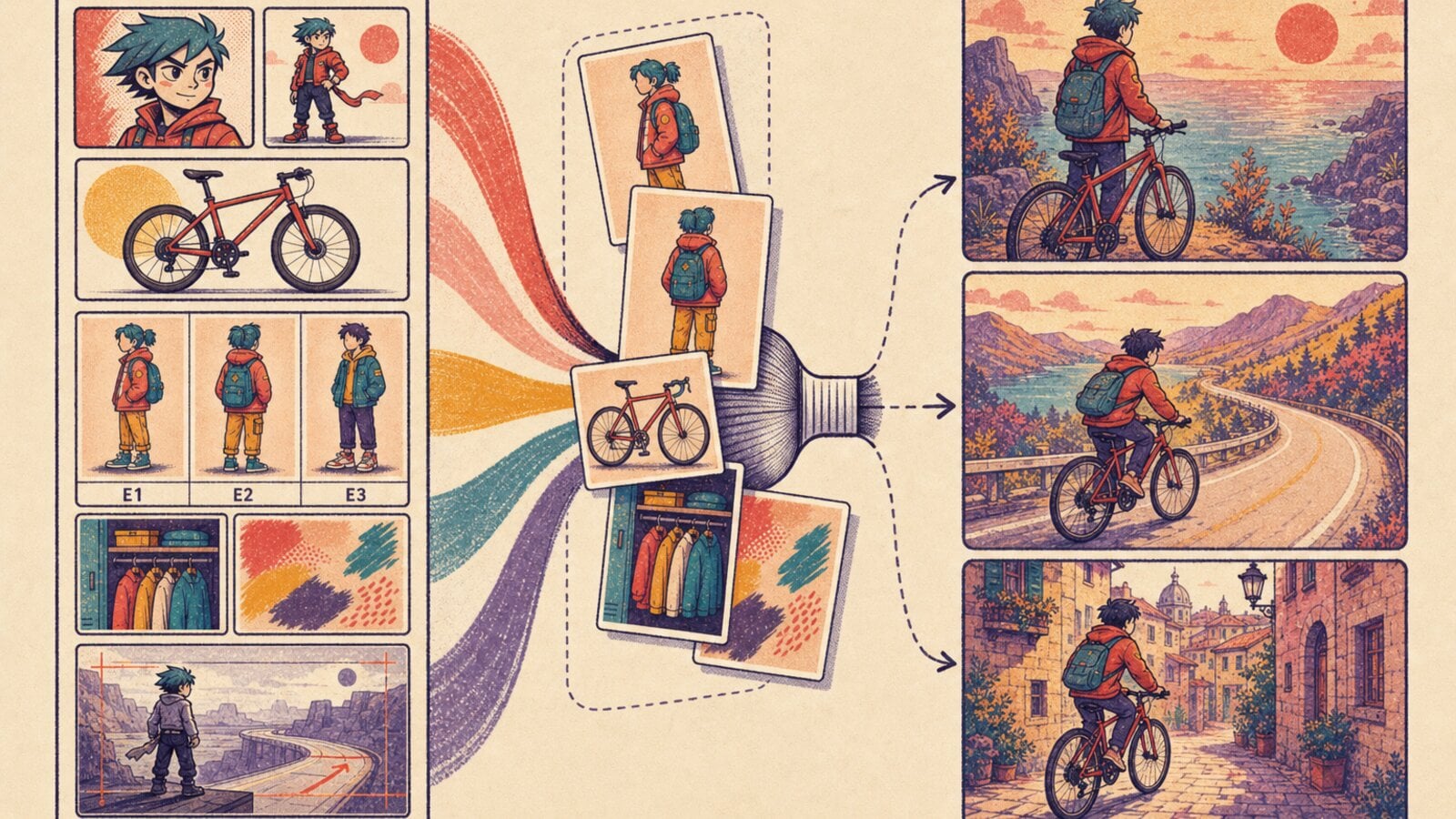
When we started building the storyboard-to-video workflow, we treated character consistency as a prompting problem. If a character drifted between scenes, we could make the description more precise or attach another reference image.
Results were sometimes passable, but it was unreliable. A shirt would change color between scenes, or facial structure would shift slightly, enough that the same actor no longer looked like the same person. Humans are very good at noticing small differences in faces, so the consistency bar is extremely high.
A scene may need references for several actors, their wardrobe, a product, the visual style, and an earlier frame. The models generating the media only accept a small number of images with each request. Better prompts could not solve that mismatch, as each generation often needed more reference images than the model could accept.
To make the storyboard-to-video workflow good enough to release, we needed to change how we represent the visual context in each request.
Treating image slots as a budget
Different generation models expose different limits, but the limits are all small. VideoGen caps image-generation requests at four attached references. One of the video paths accepts three images in total, and the first of those is the frame that the model must animate.
Consider a scene with this input:
Actor: face reference
Actor: full-body reference
Product: reference photo
Style: reference image
Continuity: previous scene
Even this modest example needs five images. A scene with more than one actor exhausts the budget faster.
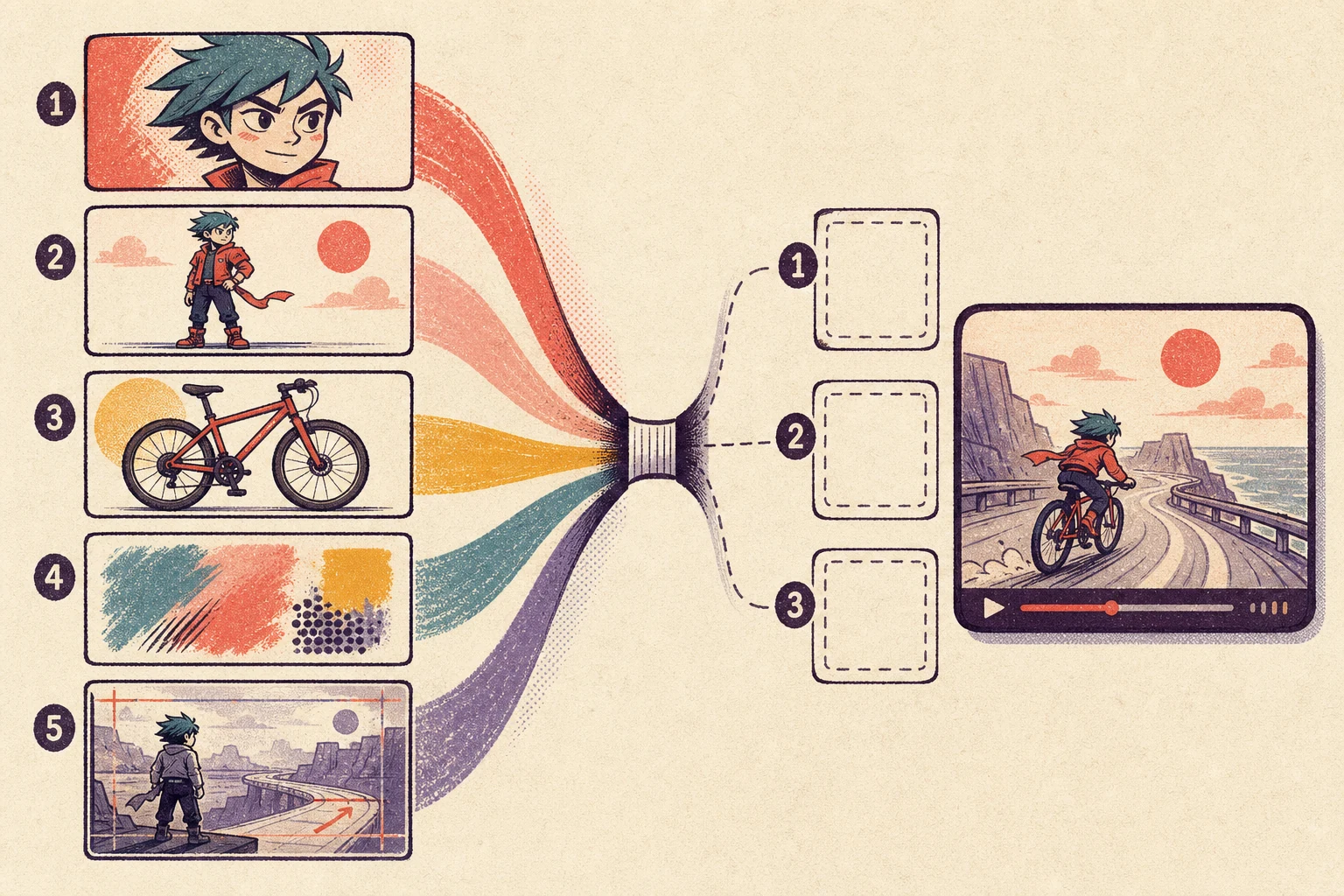
Our first representation treated every reference as an independent attachment. That was simple, but it forced us to choose which context to discard. Dropping the style changed the look of the scene. Dropping continuity changed the wardrobe or setting. Dropping an actor reference changed the actor.
The model limit was fixed, so we needed each attachment to carry more information.
Packing references into contact sheets
We replaced lists of individual references with contact sheets. Before a generation begins, VideoGen composites related images into a grid and burns a short label into each cell.
Entity references use labels such as E1 and E2. These cells can represent actors, products, or visual styles. Uploaded references use a separate R1, R2 label space. A third sheet can contain frames from nearby scenes for visual continuity.
Each sheet can contain up to ten cells, but counts as one image when attached to the model. The request changes from this:
[actor face] [actor body] [product] [style] [previous scene]
to this:
[entity sheet] [continuity sheet]
This is a compression scheme, but not in the usual pixel-level sense. We preserve the images and compress the number of attachment slots they occupy.
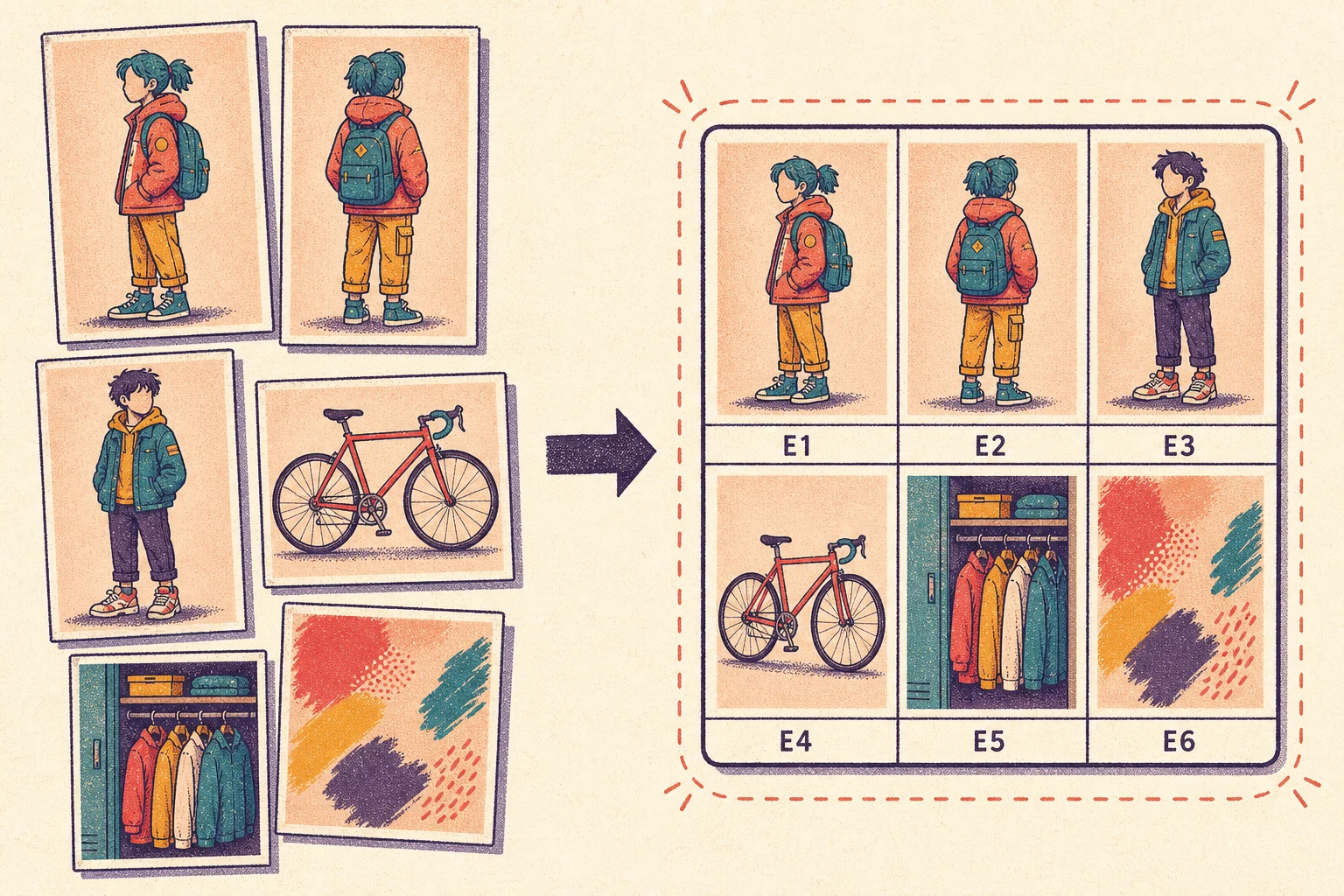
The labels are important because a grid without an index is ambiguous. Along with the sheet, the model receives instructions that bind each label to its role:
@E1 = Alice
@E2 = the red bicycle
The instructions also describe how not to use the sheet. It is reference material, not a composition. The model should not reproduce the grid, render the labels, pan between cells, or turn the cells into separate shots. These negative instructions became necessary because image and video models will sometimes interpret a contact sheet as the requested output rather than as context for it.
Carrying continuity between scenes
Entity sheets answer “what should this person or object look like?” They do not answer “what did the last scene look like?”
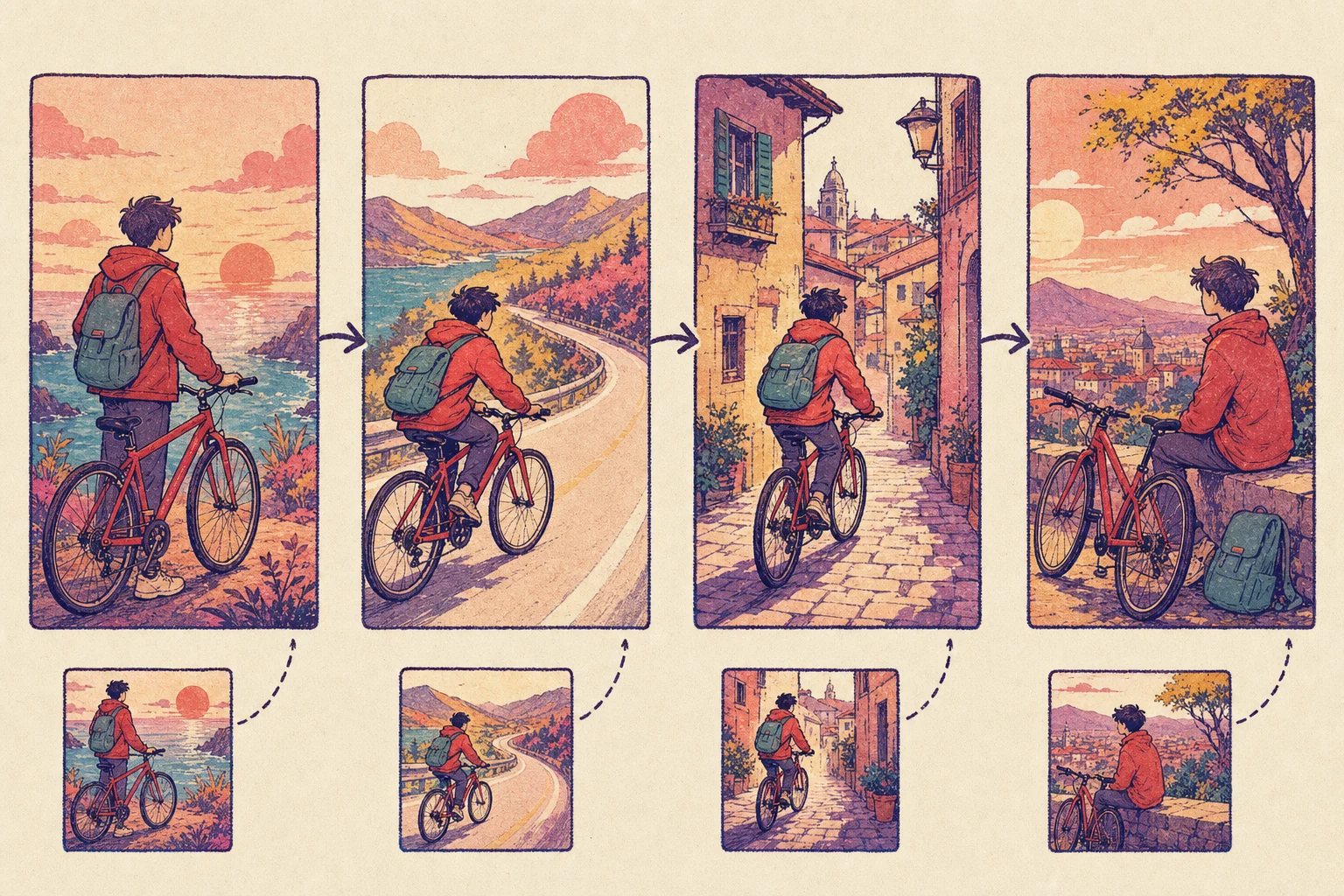
For that, we build a separate continuity sheet from generated first frames. When creating a new storyboard still, earlier scenes can provide context. When animating a still, nearby scene frames can help preserve wardrobe, lighting, and visual style.
We generate a first frame, animate it into a clip, and make approved frames available to later scenes. That creates a dependency between scenes, so we cannot generate the entire storyboard in parallel.
Parallel generation minimizes total wait time, but every scene then has to reconstruct the story from the original inputs. Sequential generation lets visual decisions carry forward. We chose the latter.
Connecting text to images with mentions
Contact sheets solved the attachment limit, but introduced another problem: how does a scene specify which cells it needs?
VideoGen already had an interaction for this. When someone types @ and selects an actor, product, or visual style, the editor stores a structured mention inside the text:
@[entity:<id>|ACTOR|Alice]
The stored token keeps a stable entity id even if its display name changes. Before generation, we resolve the mentioned entities, assign each one a sheet cell, and translate the text into the temporary labels understood by that request:
User text:    @Alice rides @Red Bicycle through the park
Model prompt: @E1 rides @E2 through the park
The E1 and E2 labels are local to the generated sheet. They do not leak into narration or become permanent project identifiers.
Keeping the entity reference in the text, rather than in a separate workflow-level list, also made the system reusable:
- Storyboard to video: each scene prompt selects its own cast and references.
- Script to video: mentions in the script flow into generated b-roll. Text-to-speech receives the display name, so it says “Alice” instead of reading the stored token.
- Prompt to video: mentions in the prompt determine the entity sheet used for both the first frame and the resulting clip.
The generation paths differ, but they share the same sequence: parse mentions, resolve entities, assemble sheets, rewrite labels, and generate media.
Where the approach falls short
Contact sheets increase the amount of context we can fit into a request. They do not create missing context.
Today, an actor sheet is assembled from the images already attached to that actor. If the actor only has a front-facing headshot, the model still has to infer profile, full body, and other camera angles. The sheet makes identity references available consistently, but reference quality still sets the ceiling.
We plan to address this with a dedicated actor creator. Instead of beginning with one incidental image, the creator will generate a coherent sprite-sheet-like set with multiple angles, expressions, poses, and wardrobe views. Those images can use the same mention and contact-sheet system described above. The workflow integration remains stable while the reference material becomes much more complete.
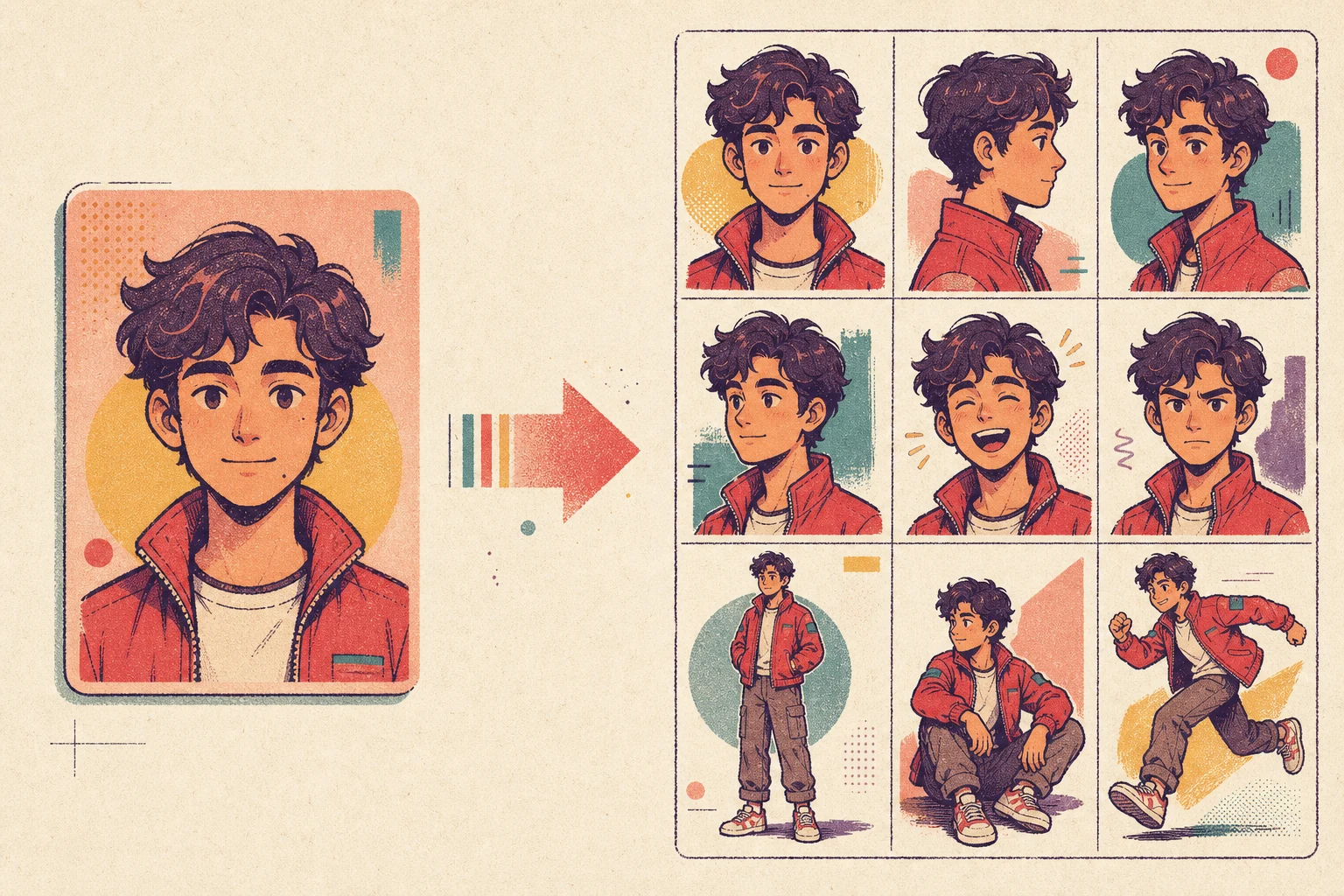
There are still open questions. More cells do not always produce better results because each cell becomes smaller. Different models pay attention to grids differently. A reference set also needs to cover enough variation without teaching the model conflicting versions of the same character.
The attachment budget forced us to treat visual context as a data-structure problem. Contact sheets are our current answer: pack related references together, address them by label, and carry successful outputs into the next scene. The actor creator is the next step toward making those references intentional from the start.
Try storyboard to video or read the API documentation for the storyboard-to-video workflow.

 Merhannah A.
 Richard D.
 Anton Koenig