GPT Image 2: What It Is and How to Use It for Marketing Visuals
GPT Image 2 is OpenAI's production image model for high-resolution visuals, multilingual text, and precise editing. Learn where it fits in VideoGen workflows.


GPT Image 2 is OpenAI's production image generation and editing model for teams that need more than a rough concept. It is designed for detailed visuals, readable text, flexible layouts, and high-fidelity edits. In VideoGen, it is available as part of the image model set that turns stills into scenes, thumbnails, storyboards, and finished videos.
This guide explains what GPT Image 2 does well, where it fits in a marketing workflow, and how to try it in VideoGen.
What is GPT Image 2?
GPT Image 2 is OpenAI's image generation and editing model released in April 2026. It accepts text and image inputs and can create new images or modify an existing reference with a prompt.
OpenAI's model supports:
- Image generation and prompt-based editing.
- Flexible image dimensions, with a long edge of up to 3840 pixels.
- Aspect ratios from wide landscape layouts to tall portrait compositions.
- Stronger multilingual text rendering, including non-Latin scripts.
- Structured layouts such as posters, product graphics, infographics, and presentation visuals.
- High-fidelity image inputs for reference-led variations.
You can read the original provider announcement in the OpenAI ChatGPT Images 2.0 announcement, or see the live model details on the GPT Image 2 model page in VideoGen.
Existing GPT Image 2 examples in VideoGen
The GPT Image 2 model page includes real outputs generated in VideoGen. These examples show why the model is useful for marketing work: it can handle readable copy, structured information, and images that can become downstream video assets.
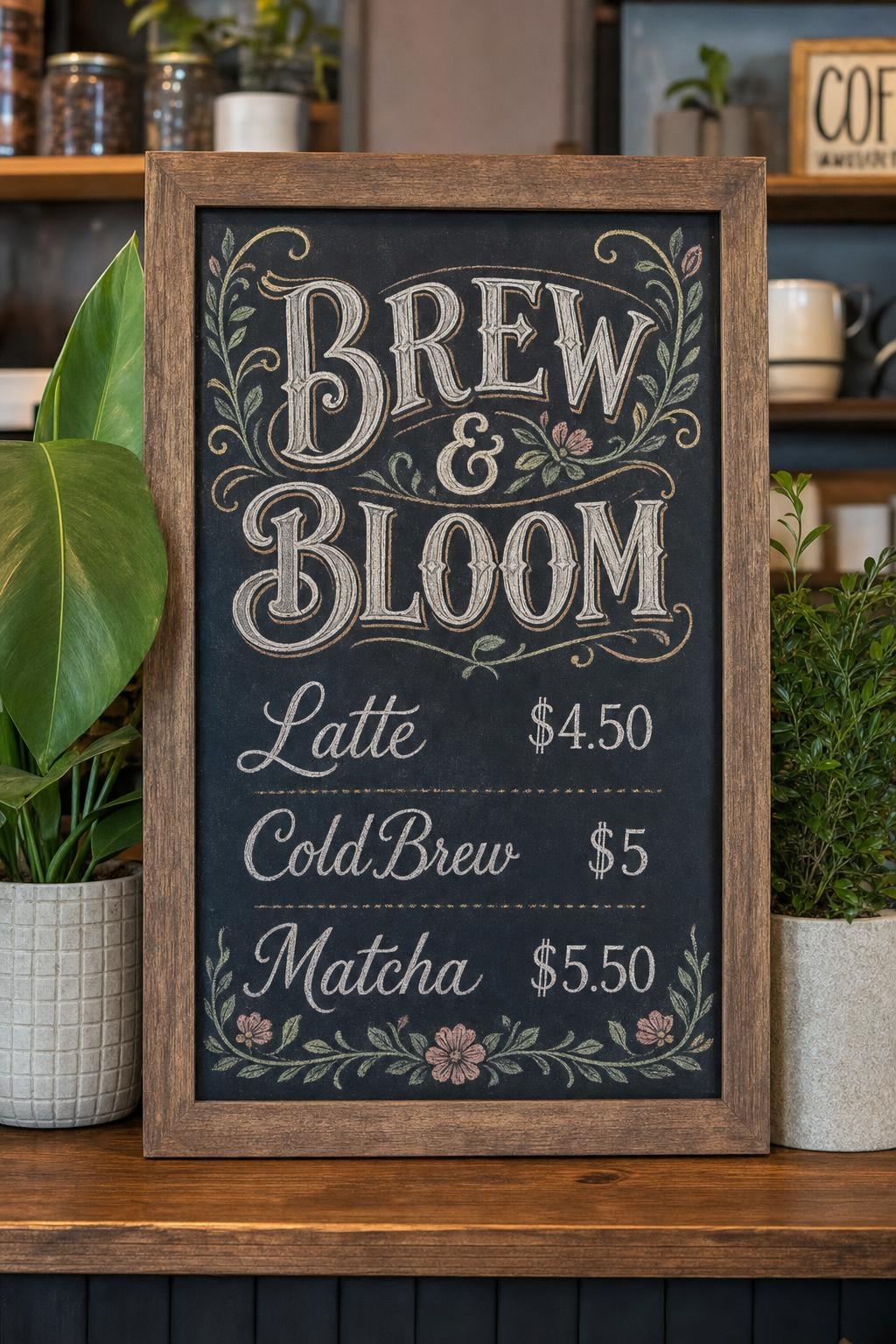
A vertical cafe menu tests readable text and a tall composition.
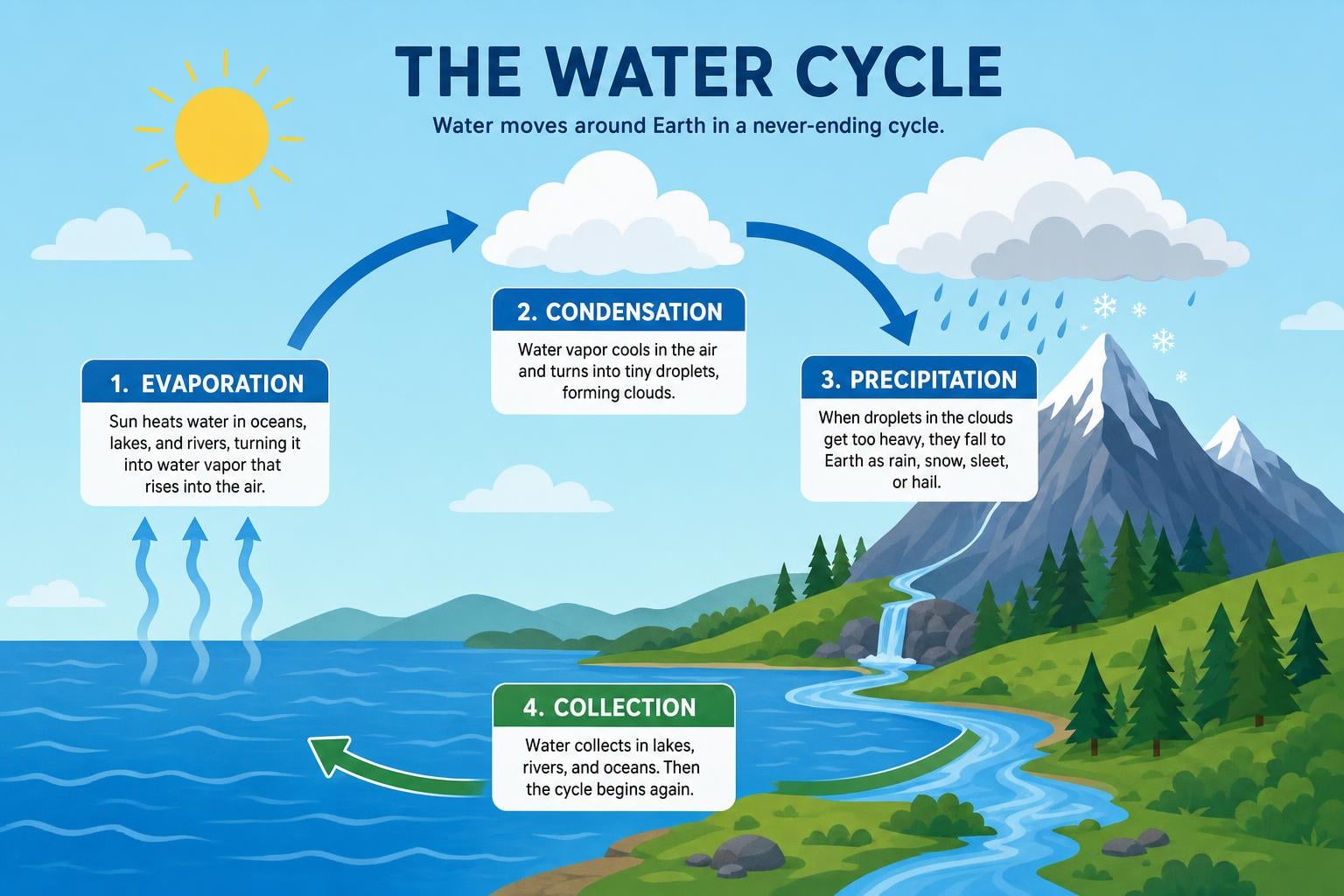
A labeled infographic tests hierarchy, arrows, and structured information.
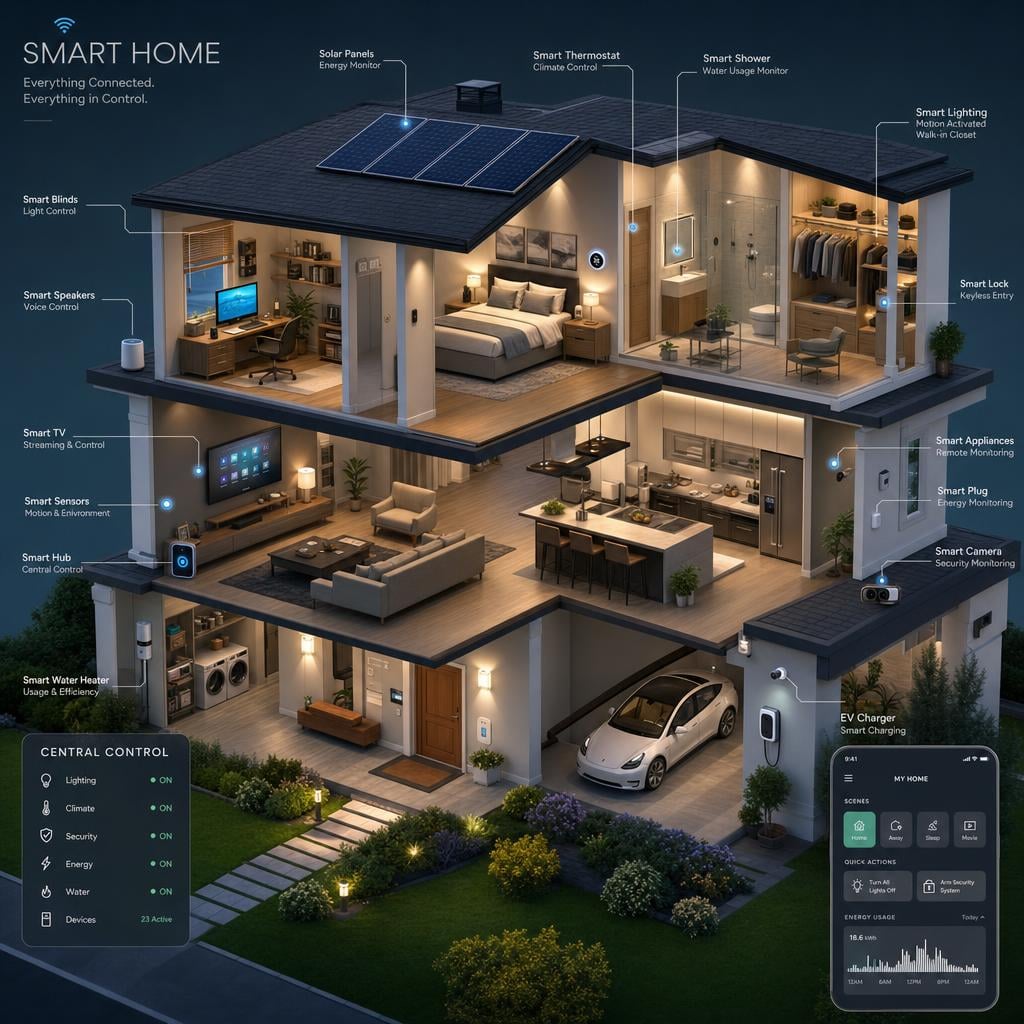
An isometric smart-home cutaway tests a dense visual scene without relying on a single subject.
Why GPT Image 2 matters for marketing visuals
Marketing images rarely exist on their own. A product visual may become a storyboard frame, a social thumbnail, a slide, a scene in a script-to-video project, or the starting image for image-to-video animation.
That changes what “good” means. You need a model that can:
- Understand a detailed creative brief.
- Keep the product, layout, and visual identity recognizable.
- Render the words that appear in the image.
- Make a targeted edit without destroying the parts that already work.
- Produce the right shape for the channel where the visual will be used.
GPT Image 2 is particularly useful when the image contains information, not only atmosphere. A product label, a promotional headline, a comparison chart, or a diagram needs structure and legibility. If a scene will be used in a video, the composition also needs to leave room for motion, captions, or a subject that will be animated later.
GPT Image 2 for product images
Start with the product, the camera, and the setting. For example:
A premium travel mug on a pale stone table beside a folded map, soft morning light from the left, subtle condensation on the metal, clean ecommerce product photography, generous negative space on the right for a headline, no watermark.
The useful details are physical. Name the material, the light direction, the camera angle, and where the subject sits in the frame. “Make it premium” is less useful than describing brushed metal, soft window light, and a clean tabletop.
Once the first image works, use editing instructions to change one thing at a time. Ask for a different background, a new colorway, or a different crop while explicitly saying what must remain unchanged.
GPT Image 2 for text and layouts
GPT Image 2 is a strong choice for visuals that need readable copy. Put exact words in quotation marks and describe their placement separately from the subject:
A square product launch graphic for a blue running shoe. The headline must read exactly "RUN FURTHER" in large white sans-serif type at the top. The shoe sits in the lower center with a soft studio shadow. Keep the layout clean and leave a small blank area at the bottom for a call to action.
The result still deserves human review. Generated text can be close without being perfect, and small copy should always be checked before publishing. But structured prompting gives the model a clear job and makes revisions easier.
GPT Image 2 inside VideoGen
The most useful place to try GPT Image 2 is not an isolated image canvas. It is inside a production workflow:
- Script to video: create visuals that follow the narration and leave room for captions.
- Storyboard to video: establish the composition of a scene before animation.
- Prompt to video: generate a strong first frame that can become motion.
- Entities: use a person, product, or reference image as a stable visual anchor.
- Slideshow to video: generate structured slides and presentation visuals.
The GPT Image 2 page in VideoGen includes model details, examples, and a direct path into the AI image tool. You can also read the GPT Image 2 prompting guide before trying a first generation.
Is GPT Image 2 the right model for every image?
No. Model choice depends on the job. GPT Image 2 is a good fit for structured layouts, text-heavy visuals, flexible dimensions, and targeted edits. Another model may be better for a different aesthetic, reference budget, speed target, or price point.
VideoGen keeps multiple image models available so you can choose per project. For a side-by-side comparison, see GPT Image 2 vs. Nano Banana 2.
Start with a useful brief
The best first prompt is not necessarily long. It is specific about:
- The subject and its physical state.
- The setting and lighting.
- The camera angle and composition.
- Any exact text that must appear.
- The aspect ratio and intended channel.
- What the model should not change during an edit.
Try GPT Image 2 in VideoGen, then move the result into a project when the image becomes part of a larger story. The model is most valuable when it helps your team move from a visual idea to a reusable production asset.