GPT Image 2.5
Create detailed marketing images, presentation visuals, and reference-led edits with GPT Image 2.5 Flare inside VideoGen workflows.
By OpenAI · Released September 2026 · The faster GPT Image 2.5 API model for high-quality generation and precise editing
Example outputs from GPT Image 2.5 Flare
Real prompts, real outputs, generated with GPT Image 2.5 Flare in VideoGen.
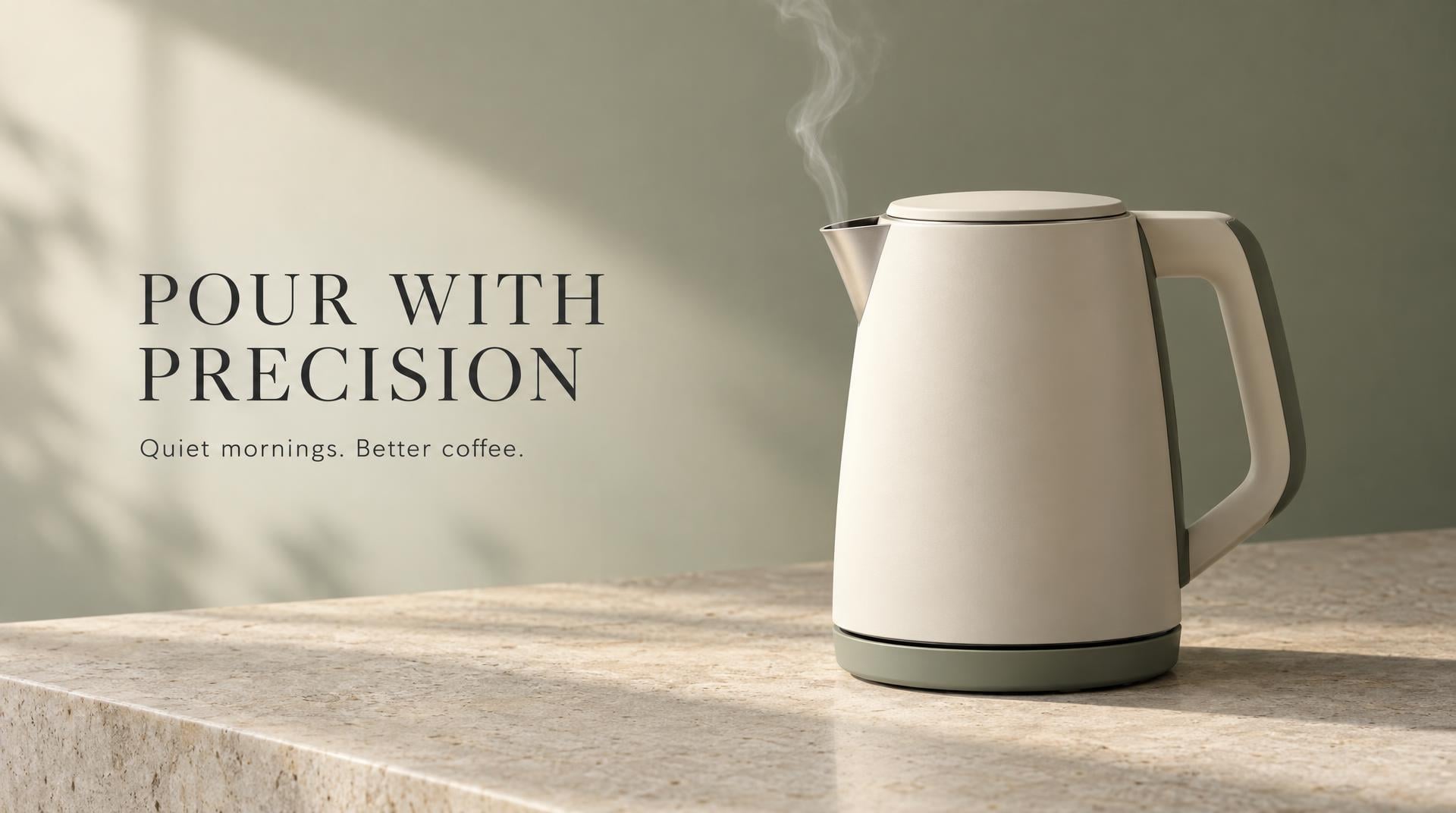
“Premium ecommerce campaign image for a matte cream electric kettle named LUMA, three-quarter product view on pale limestone, a thin ribbon of steam, warm morning side light, restrained sage and charcoal palette. Editorial layout with generous negative space on the left and exact headline text 'POUR WITH PRECISION'. Small subheading 'Quiet mornings. Better coffee.' beneath it. No other text, logos, hands, or extra products.”
Generated with GPT Image 2.5 Flare in VideoGen

“A polished 16:9 presentation cover for an ecommerce operations talk. Deep navy background, one continuous coral line moving through four crisp isometric scenes: storefront, shopping cart, packing table, and doorstep delivery. Large exact title 'FROM CART TO CUSTOMER' aligned top left, small exact subtitle 'A simpler path to repeat purchases'. Modern editorial presentation design, strong hierarchy, clean spacing, no logos, no extra words.”
Generated with GPT Image 2.5 Flare in VideoGen
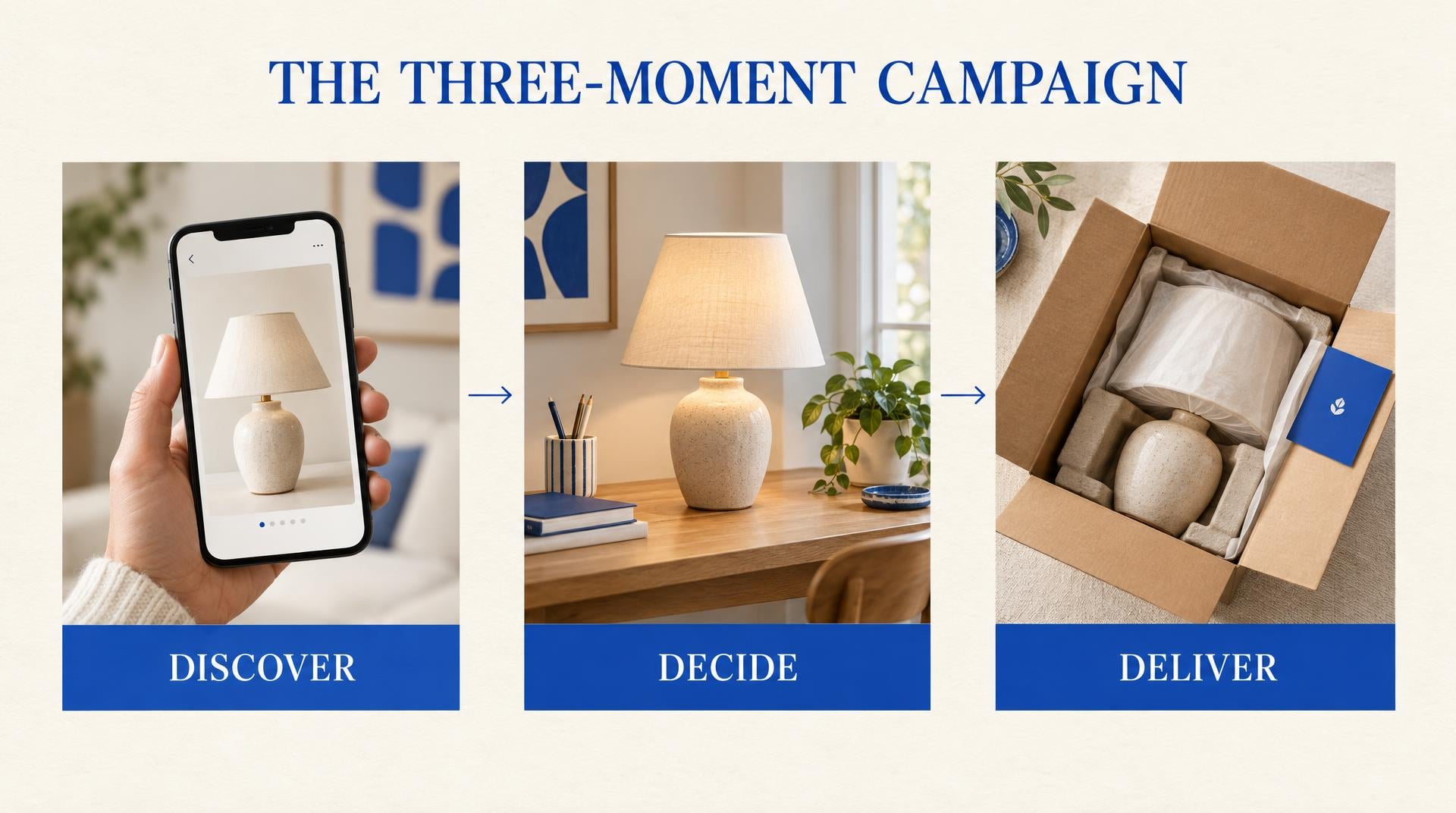
“Clean 16:9 strategy slide titled 'THE THREE-MOMENT CAMPAIGN'. Three equal vertical panels connected by a fine horizontal arrow. Panel one shows a phone discovering a ceramic lamp and is labeled exactly 'DISCOVER'. Panel two shows the lamp on a styled desk and is labeled exactly 'DECIDE'. Panel three shows an open delivery box and is labeled exactly 'DELIVER'. Warm white background, cobalt accents, subtle paper texture, concise consulting-deck aesthetic, no extra text.”
Generated with GPT Image 2.5 Flare in VideoGen
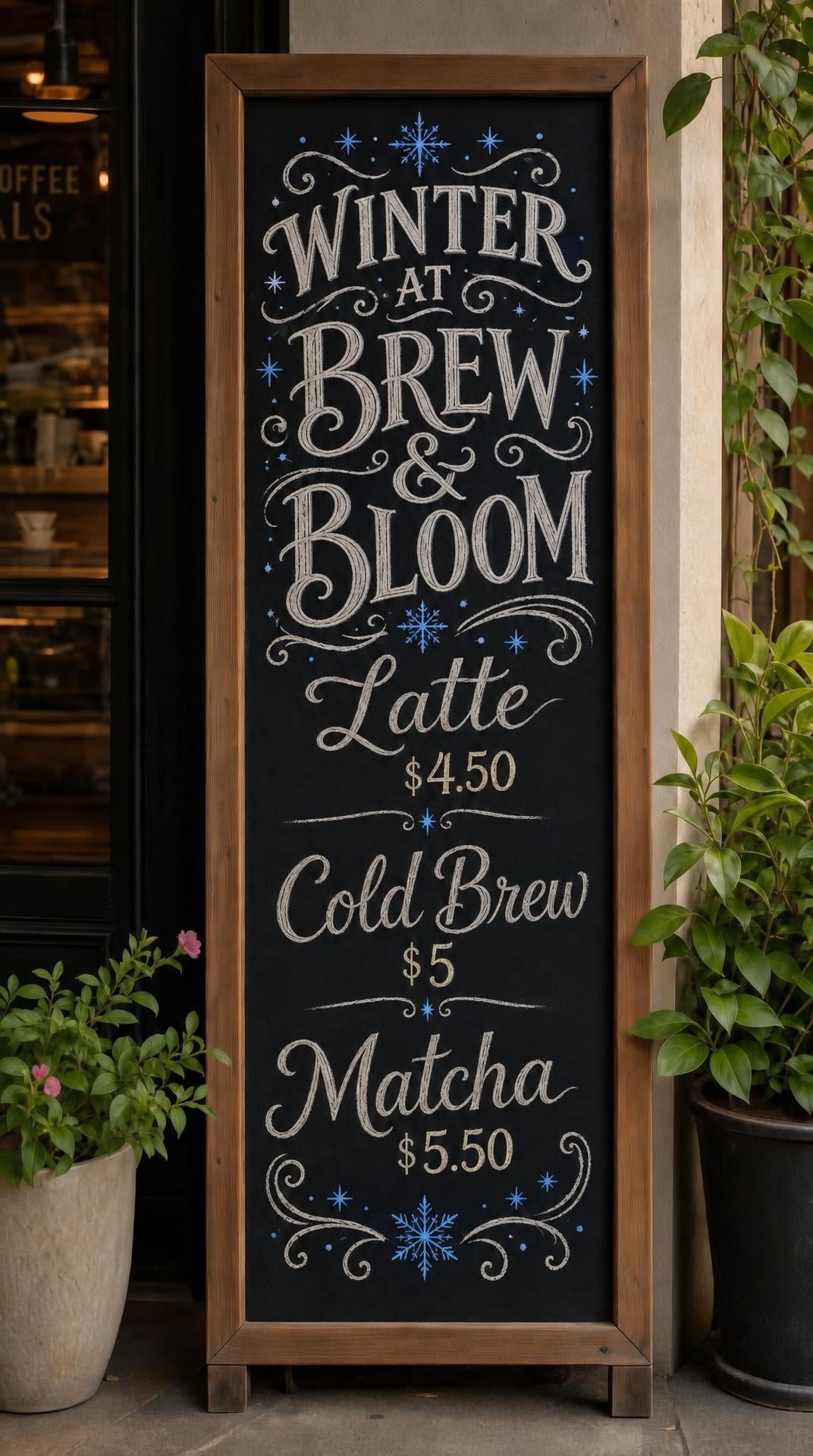
“Keep the cafe chalkboard, camera angle, hand-lettered layout, prices, and plants unchanged. Change only the seasonal treatment: replace the warm brown accent drawings with small cobalt-blue winter stars and change the heading to 'WINTER AT BREW & BLOOM'. Preserve all remaining menu text exactly.”
Generated with GPT Image 2.5 Flare in VideoGen
How VideoGen integrates GPT Image 2.5 Flare
| Specification | Details |
|---|---|
| Model | GPT Image 2.5 Flare |
| Input types | Text and reference images |
| Reference images | Up to 16 on the edit endpoint |
| Editing | Targeted edits with improved subject and layout preservation |
| Quality settings | Low, medium, high, xhigh, max, and auto |
| Resolution | 1K, 2K, or 4K output |
| Backgrounds | Opaque or transparent PNG and WebP |
| Elo Benchmark | Unknown |
Quality tiers in VideoGen
- Low
The fastest and most affordable tier, built for drafts and quick iteration.
- Standard
The balanced default: good quality images at an everyday cost.
- High
Premium quality images for the content you publish.
- Max
Our highest quality tier for detailed, polished images.
Use GPT Image 2.5 Flare directly in VideoGen to create images. Choose a quality tier, generate your content, and add it to a finished video in the same workspace.
How to use GPT Image 2.5 Flare in VideoGen
Create a free account
Sign up for VideoGen to open the AI playground and editor.
Open a workflow
Start the storyboard to video or prompt to video workflow, or use the AI image tool inside any project.
Pick a quality tier or type a prompt
Choose the tier that fits your needs and describe what you want to create.
Generate and build your video
VideoGen builds the finished video with visuals, narration, and captions, ready to export.
GPT Image 2.5 Flare API
Developers can generate images through the VideoGen API with the same quality tier routing as the app, so requests reach models like GPT Image 2.5 Flare without managing provider keys.
curl -X POST "https://api.videogen.io/v1/tools/generate-image" \
  -H "Authorization: Bearer $VIDEOGEN_API_KEY" \
  -H "Content-Type: application/json" \
  -d '{"prompt": "A studio product shot of a ceramic mug", "quality": "max"}'
Generate and refine production visuals
Create product ads, presentation graphics, and campaign images, then update one detail while keeping the subject and composition intact.
Explore GPT Image 2.5 in VideoGen
Read our first look at GPT Image 2.5 and why its reference fidelity, editing control, and speed matter for complete video workflows.
Read the GPT Image 2.5 overviewWrite prompts with a clear visual hierarchy
Define the subject, composition, exact copy, style, and constraints so the model can build a coherent image instead of guessing.
Read the prompting guideBuild presentation visuals that support the story
Use image generation for covers, diagrams, and visual concepts while keeping factual charts and editable copy in your slide tool.
Read the slides guide
“VideoGen is awesome for scaling video production and improving turnaround time... The complex process of video editing, which could take days or months, now takes minutes!”
“VideoGen solves the biggest pain points of video production—complexity, cost, and time. In just a few clicks, anyone can create professional, copyright-free videos.”
“VideoGen is the most underrated tool for content creators who want to put out the highest quality content in the shortest amount of time.”
Frequently asked questions
Go from GPT Image 2.5 Flare outputs to finished videos
Every VideoGen workflow uses models like GPT Image 2.5 Flare automatically to build complete videos with visuals, narration, music, and captions.
Start creating with AI on VideoGen.
Sign in to generate images, video clips, and more with the models you choose.
Related GPT Image resources
- GPT ImageProfessional AI image generation and editing
- GPT Image 2Detailed AI image generation and editing with fine text
- GPT Image 2.5 is coming to VideoGen Image MaxOur first look at OpenAI's faster image generation and editing model
- GPT Image 2.5 launch guideWhat changed in GPT Image 2.5 and how to use it in VideoGen
- GPT Image 2.5 prompts for marketing imagesPrompt structures for product ads, campaigns, and visual concepts
- GPT Image 2.5 for slides and presentationsA practical workflow for covers, diagrams, and presentation visuals